
Is TradingView the Best Platform for Traders? 🚀📈
If you’re searching for a reliable charting tool with powerful features, you’re in the right place! ✅
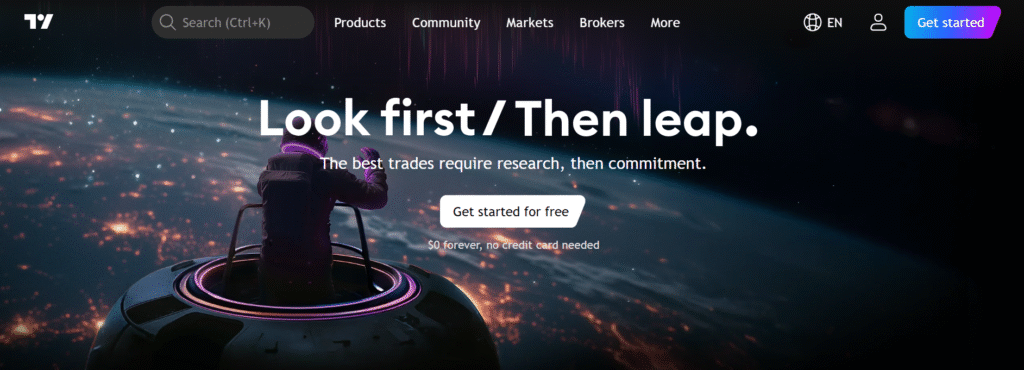
In this TradingView Review, I’ll take you through the platform’s advanced charting, real-time data, customizable alerts, and social trading features, among others.
TradingView Exclusive Offer : Get Upto 50% OFF Now! 🚀
Unlock up to 50% OFF on TradingView’s premium plans! Elevate your trading with advanced charting tools, real-time market data, and customizable alerts. Grab this deal now! 🎁
I’ve personally tried TradingView and found it to be a game-changer for my trading experience. The ease of use, combined with its comprehensive features for stocks, crypto, and forex, makes it a standout tool for traders of all levels.
From real-time price tracking to interactive charts, TradingView has been an essential part of my trading strategy.
Read on to learn more about why millions of traders trust TradingView, and whether it’s the right tool for you!
TradingView at a Glance
- Powerful charting tools with real-time data for traders.
- Supports multiple markets, including stocks, forex, and cryptocurrencies.
- Customizable alerts and automated trading features.
- Mobile and desktop apps for trading on-the-go with seamless syncing.
Rated 4.8/5 ★ ★ ★ ★ ★
Get Started for $0 forever and join 100 million traders!
What Exactly Is TradingView?🚀
TradingView is an advanced platform designed for traders to analyze markets and track price movements in real time.
It’s known for its interactive charting tools that allow users to monitor and visualize stocks, cryptocurrencies, forex, and more.
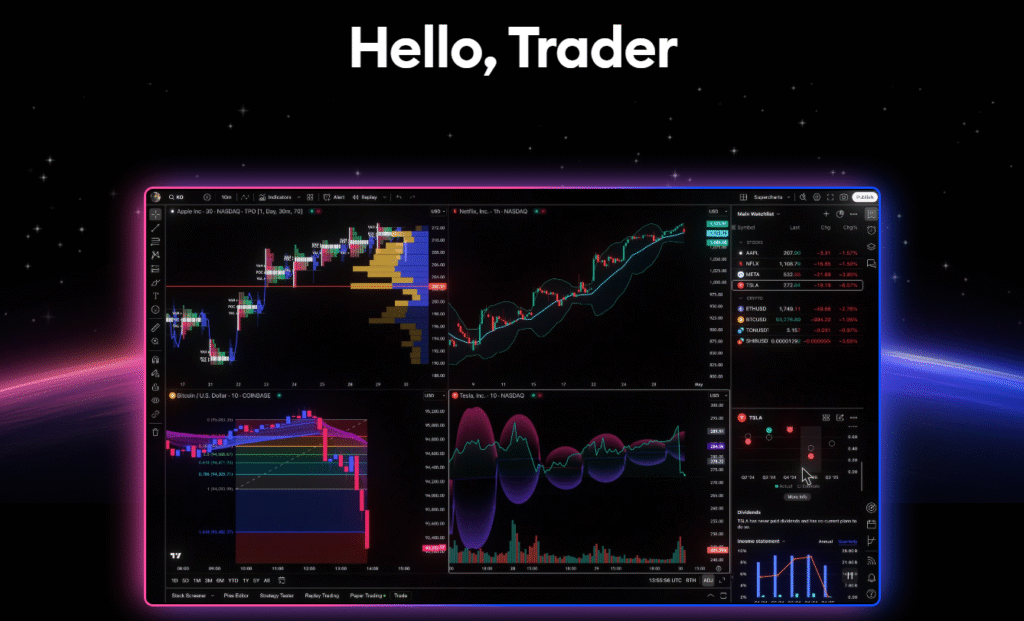
The platform gives you the ability to customize charts with different indicators, drawing tools, and timeframes. You can set alerts to be notified of market changes, helping you stay ahead of important movements.
TradingView also allows you to share ideas with other traders and view their charts. It’s a social aspect that adds a layer of community interaction.
For those who want a deeper understanding of the market, TradingView offers a range of technical analysis tools, like Candlestick patterns, moving averages, and oscillators.
It’s not just for experienced traders, beginners will find TradingView user-friendly, thanks to its simple layout and comprehensive educational resources. With all these tools and features, TradingView is an essential platform for anyone serious about trading.
#8 Key Features of TradingView 🌟
1. Advanced Charting Tools
TradingView offers powerful charting tools with a variety of indicators, drawing tools, and timeframes.
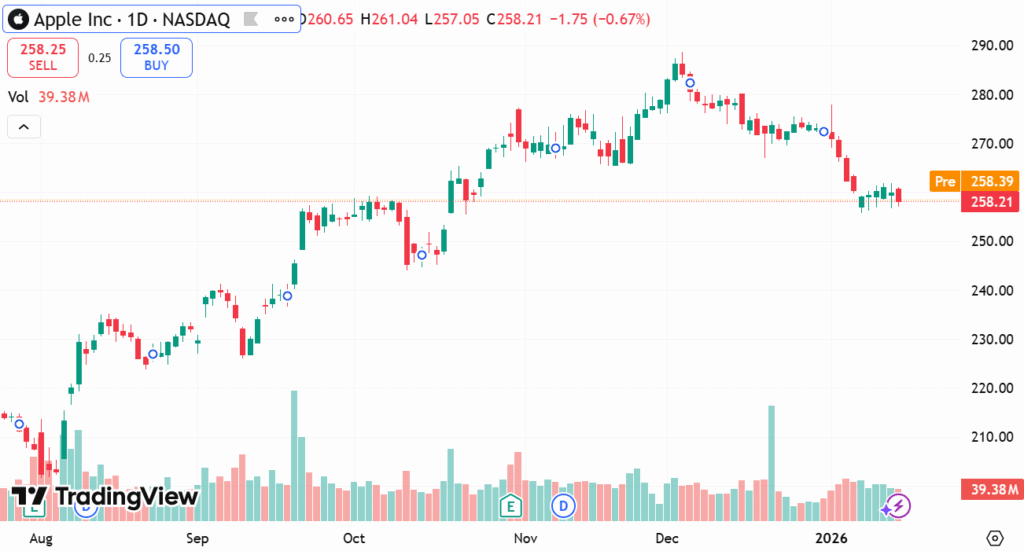
You can customize charts to your liking, making it easy to track market trends. Whether you’re analyzing stocks or cryptocurrencies, the platform’s charting tools are designed to offer deep insights and accuracy.
2. Real-Time Market Data
Get live market updates with real-time data from global markets, including stocks, forex, and cryptocurrencies.
TradingView ensures that you have up-to-the-minute information, enabling quick decision-making. You can monitor price changes instantly and stay on top of market shifts as they happen.
3. Customizable Alerts
Set personalized alerts based on specific market conditions. Whether it’s a price level or a technical indicator, TradingView allows you to get notified instantly via email, SMS, or in-app notifications.
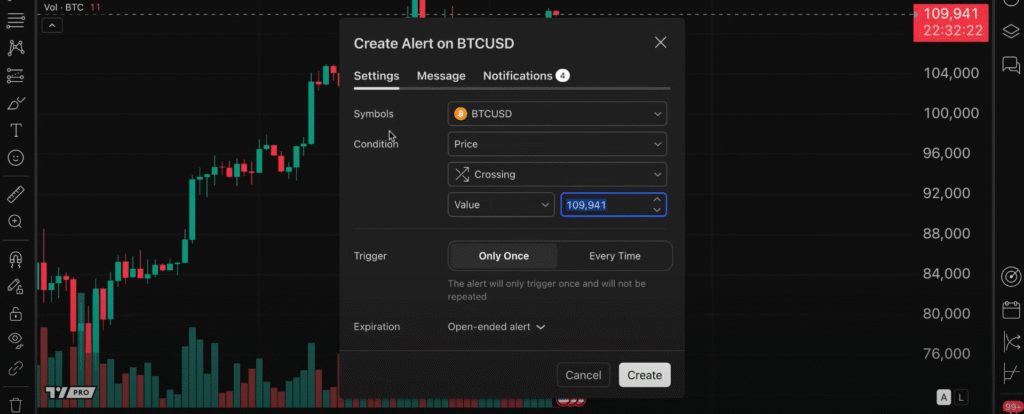
This ensures you never miss an important market move, even when you’re not actively watching the charts.
4. Social Trading
TradingView’s social community allows you to follow other traders, share ideas, and discuss market trends.
You can view charts, strategies, and predictions from other users to get different perspectives. It’s a great way to learn from others and stay connected with the global trading community.
5. Paper Trading
If you’re new to trading or testing new strategies, TradingView’s paper trading feature allows you to practice with virtual money.
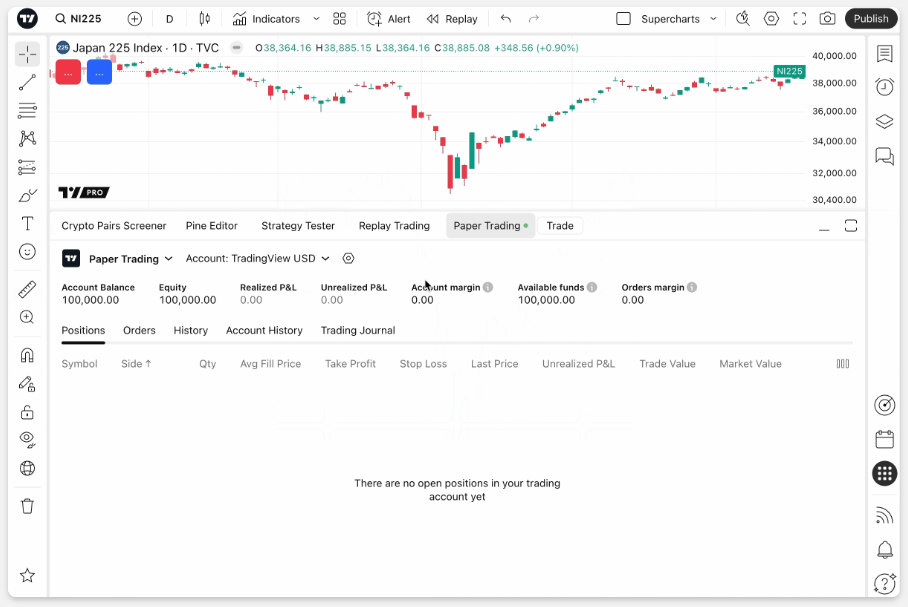
You can simulate real trades in a risk-free environment, helping you build confidence before committing real funds to the market.
6. Wide Range of Market Coverage
TradingView supports a vast array of financial markets, including stocks, forex, cryptocurrencies, commodities, and indices.
This makes it a one-stop platform for anyone interested in multiple asset classes. Whether you want to trade Bitcoin or Apple shares, TradingView has it covered.
7. Multiple Device Accessibility
Access TradingView from any device, whether it’s your desktop, tablet, or smartphone.
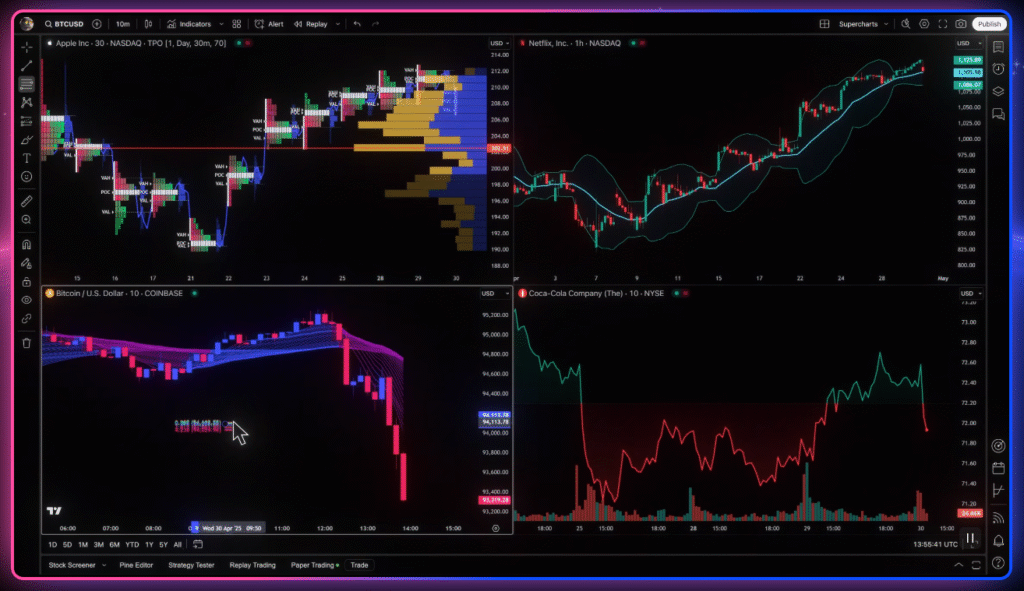
The platform is fully responsive, ensuring that you can trade and analyze markets on the go. Whether at home or on the move, TradingView ensures you’re never disconnected from the market.
8. Customizable Layouts
TradingView allows you to create a personalized layout to suit your trading style.
You can adjust the number of charts on screen, add technical indicators, and resize windows as needed. This flexibility makes the platform suitable for traders who prefer different setups and configurations.
How To Get Started With TradingView? (Step-by-Step)
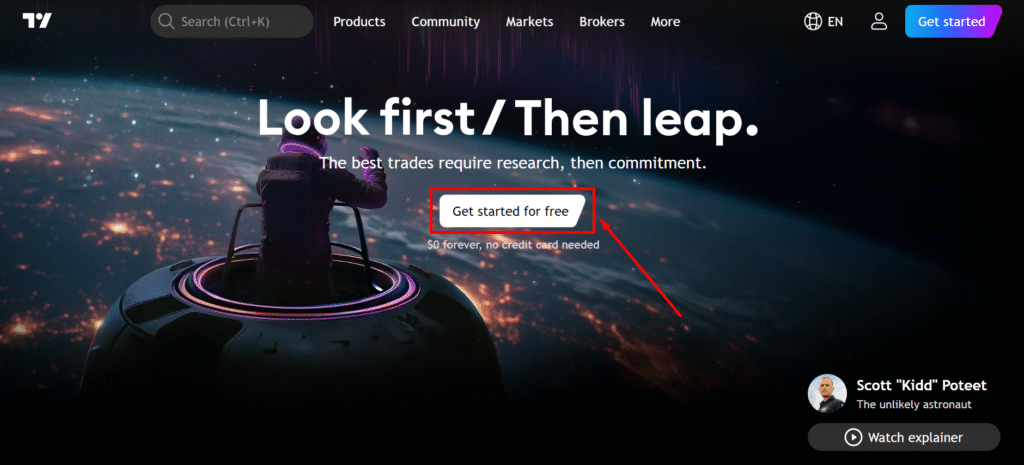
Step 1: Go to official website of TradingView and click on “Get started for free”.
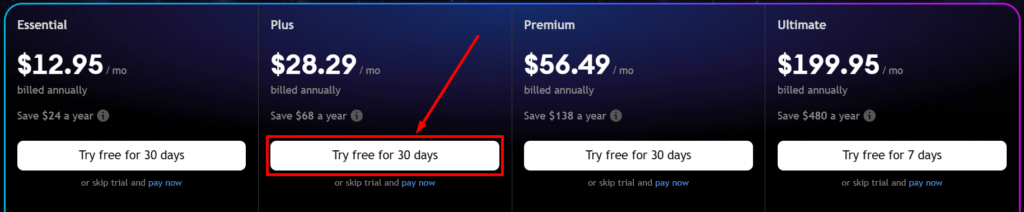
Step 2: Now choose your pricing plan and click on “Try free for 30 days”. You can also click on “pay now” to skip the trial period.
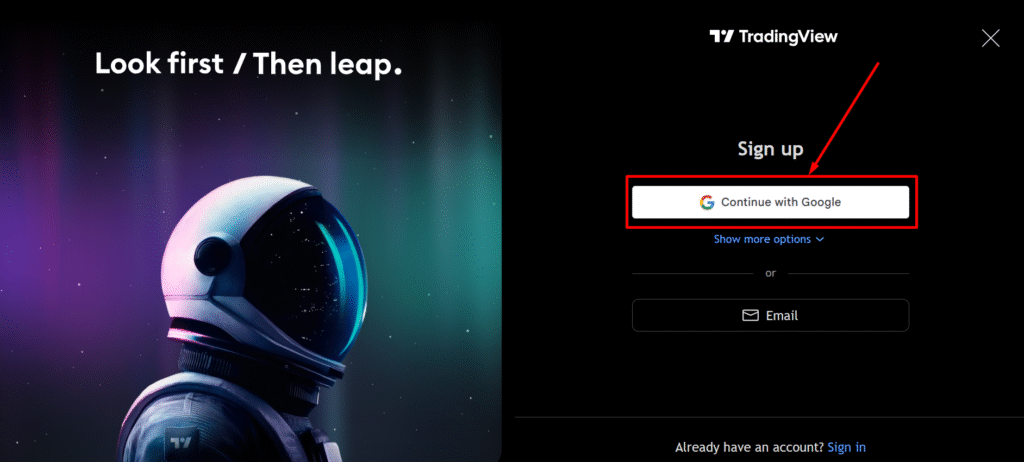
Step 3: Now, sign up with google as shown in the image below.
Step 4: That’s all! Now start trading your favourite stocks and make use of charting to optimize performance.
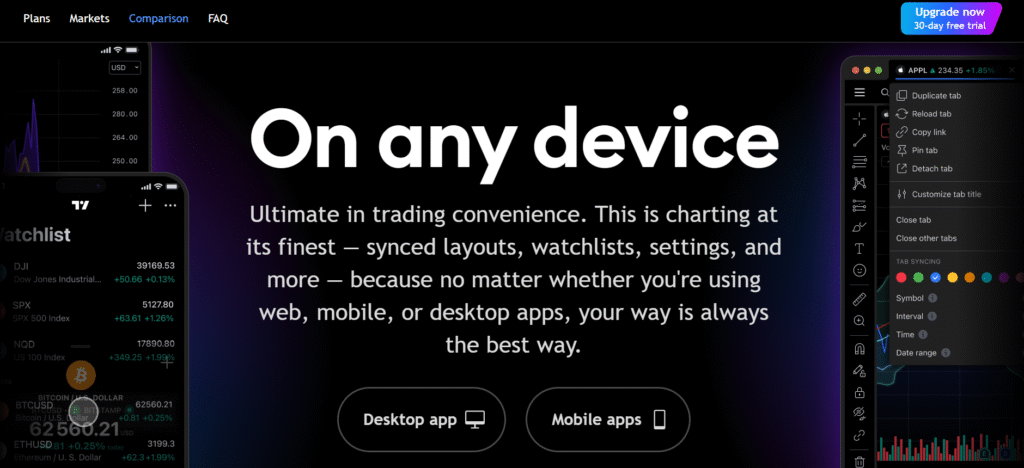
Enjoy trading on TradingView. You can also click on “Upgrade Now 30-day free trial” to purchase plan from TradingView.
Pricing Plans of TradingView 💰

- Free Plan: Start trading without any commitment — no credit card required.
- Essential Plan ($12.95/month): Unlock advanced charting with 2 charts per tab and up to 20 price and technical alerts.
- Plus Plan ($28.29/month): Get 4 charts per tab, 100 price alerts, and more advanced features for active traders.
- Premium Plan ($56.49/month): Maximize your trading with 8 charts per tab, 400 price alerts, and priority support.
- Ultimate Plan ($199.95/month): Access 16 charts per tab, 1,000 price alerts, and exclusive data feeds for professional traders.
Pros & Cons of TradingView ✅❌
| Pros ✅ | Cons ❌ |
|---|---|
| Advanced charting tools for detailed market analysis. | Some features are locked behind higher-tier plans. |
| Real-time data and live market updates. | The free plan has limited charting features. |
| Customizable alerts for price and technical indicators. | Advanced features may have a learning curve for beginners. |
| Social trading features, allowing you to follow and share ideas. | Some data may be delayed for free plan users. |
| Mobile and desktop apps with a synchronized experience across devices. | Some advanced charting features are available only in higher-tier plans. |
| Wide coverage of markets, including stocks, forex, and cryptocurrencies. | |
| Supports a variety of indicators and technical analysis tools. |
Why Choose TradingView? ✅
TradingView is a top choice for traders due to its advanced charting tools and real-time market data that keep you ahead of the curve.
Its customizable alerts ensure you never miss key price movements, while the social trading features let you follow and share ideas with a global community of traders.
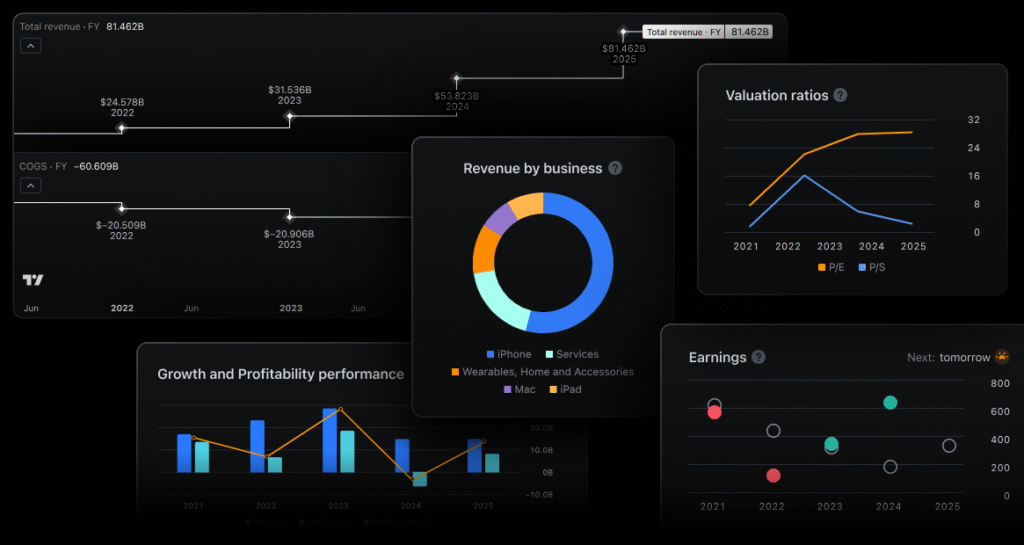
The platform also offers excellent cross-device compatibility, syncing your charts and watchlists seamlessly between mobile and desktop. With wide market coverage across stocks, forex, and cryptocurrencies, it provides everything you need in one place.
Additionally, TradingView is known for its user-friendly interface, making it easy for both beginners and experienced traders to navigate.
Whether you’re analyzing a single asset or building complex strategies, TradingView offers the tools and flexibility needed to succeed.
TradingView vs Thinkorswim vs TrendSpider 💪
| Feature | TradingView | Thinkorswim | TrendSpider |
|---|---|---|---|
| Charting Tools | Advanced charting with customizable indicators and drawing tools. | Comprehensive charting with advanced options for options traders. | Automated charting tools with pattern recognition and trendline analysis. |
| Market Coverage | Stocks, forex, crypto, commodities, and indices. | Primarily focused on stocks, options, and futures. | Stocks, crypto, and forex with a focus on automation. |
| Alerts | Customizable price and technical alerts via multiple devices. | Price alerts and custom alerts for options and futures trades. | Automated alerts based on trendlines and patterns with backtesting features. |
| Mobile App | Highly rated mobile app for easy trading on the go. | Mobile app with full trading features but more complex. | Mobile app with automated trading and pattern alerts. |
| Price | Free with premium options starting at $12.95/month. | Free with additional paid plans starting at $0/month. | Starts at $29/month with advanced features for traders. |
| Backtesting | Backtesting with technical indicators and custom strategies. | Supports backtesting for options and futures trades. | Backtesting with automated strategies and chart patterns. |
| Ease of Use | Beginner-friendly with a clean, simple interface. | Powerful, but complex for beginners. | Automated trading and analysis might require some setup. |
| Support | 24/7 live chat and email support. | Comprehensive support but slower response times. | Priority support for higher-tier plans. |
Who Should Use TradingView? 🤩
TradingView is perfect for anyone who wants to improve their trading experience, whether you’re a beginner or an experienced trader. Here’s who can benefit the most:
- Beginners: If you’re new to trading, TradingView’s user-friendly interface and educational tools can help you understand the basics of charting and technical analysis. It’s designed to make learning easy with its intuitive layout and helpful resources.
- Active Traders: For those who are into short-term trading, TradingView provides real-time data, customizable alerts, and a wide range of technical indicators to monitor market movements. It’s great for making quick decisions and tracking multiple markets at once.
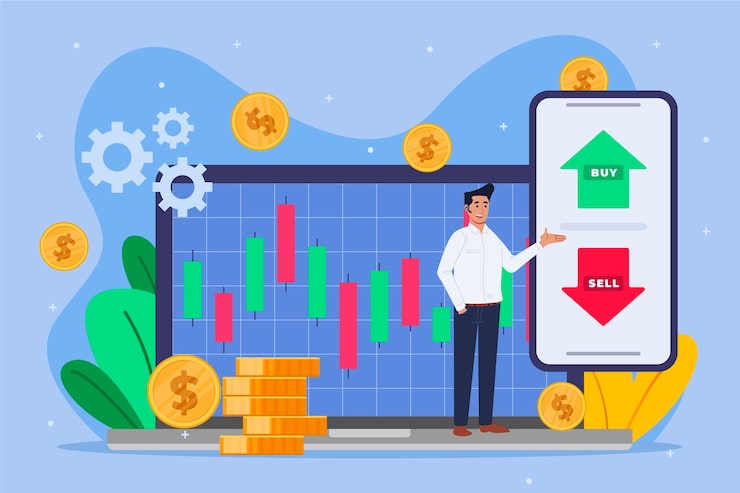
- Long-Term Investors: TradingView is also beneficial for those looking to invest long-term. The platform offers tools like price alerts and historical data, so you can track your investments and set alerts for price changes without constantly monitoring the markets.
- Cryptocurrency Traders: With its extensive coverage of crypto markets, TradingView is a go-to for anyone trading cryptocurrencies. The ability to track over 100+ digital assets, combined with advanced charting, makes it ideal for crypto enthusiasts.
- Professional Analysts: If you’re a technical analyst, TradingView has powerful tools like backtesting, script writing (Pine Script), and pattern recognition. These advanced features can help professionals create and test complex strategies.
TradingView Customer Reviews ❣️

Billy Wheeler
⭐⭐⭐⭐⭐
TradingView’s charting tools are exceptional! I love how I can track multiple markets and set custom alerts to keep me updated on important moves. Nice Charting Tool!

Clarke L.
⭐⭐⭐⭐
I’ve been using TradingView for a few months now, and I can say it’s perfect for my swing trading strategy. The real-time data and custom timeframes are so useful.

Heather R.
⭐⭐⭐⭐
As a crypto trader, TradingView has everything I need. The ability to compare multiple cryptocurrencies and use advanced indicators makes it my go-to platform.
Conclusion: Is TradingView Really Worth It? 🏁
Absolutely! TradingView is a top-tier platform that provides everything traders need to succeed.
From advanced charting tools to real-time market data, it offers comprehensive features that make trading and analysis more efficient.
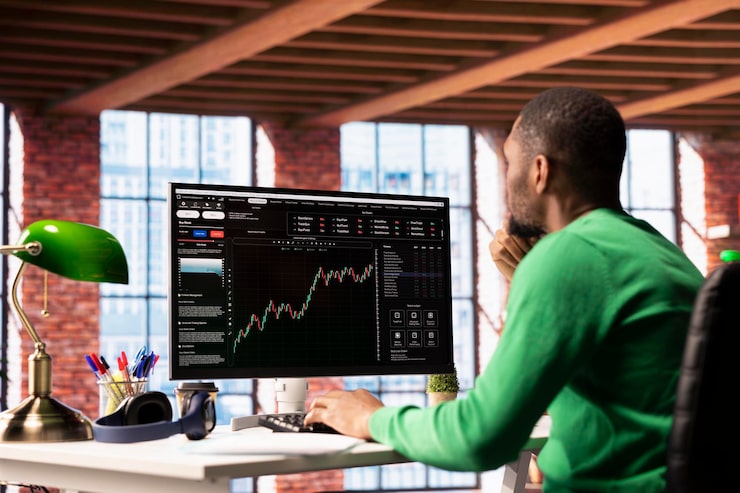
If you’re a beginner just getting started or a seasoned pro using advanced indicators and backtesting, TradingView caters to all skill levels. The customizable alerts, social trading features, and cross-device accessibility make it a standout choice for anyone serious about trading.
With affordable pricing plans and powerful tools like paper trading, automated alerts, and comprehensive market coverage, TradingView is absolutely worth it. It’s a platform trusted by millions of traders globally, and if you’re serious about trading, it should be your go-to tool!
Must Read:
FAQs 💬
Yes, TradingView offers a free plan with basic charting and limited alerts.
Yes, TradingView allows you to trade through supported brokers, directly from the platform.
Pine Script is a programming language on TradingView for creating custom indicators and strategies.
Yes, TradingView offers paper trading so you can practice without risking real money.
Yes, TradingView has a mobile app for both iOS and Android, giving you full access to charts and features on the go.