
Looking for a reliable antivirus that shields you from scams, malware, and ransomware without slowing down your device? 🛡️
If yes, you’re definitely in the right place. 🎯
In this Avast Review, I’ll share my personal experience using Avast across both PC and mobile.


Avast Big Discount – Save 55% OFF On Ultimate Protection! 🎉
Get 55% OFF on Avast Ultimate, the all‑in‑one security, privacy, and performance plan. Protect your devices from viruses, scams, and ransomware, boost speed, and stay private online all at a huge discount. Activate this deal now! 🔥
From installation to real-time protection, I tested how it performs in everyday digital life especially when it comes to blocking threats, cleaning up junk, and protecting privacy.

Avast has become one of the most trusted names in cybersecurity, with millions of users worldwide.
It uses AI-powered tools to detect scams, suspicious websites, phishing links, and more all while keeping your system running smoothly.
So, whether you’re looking for free antivirus protection or a premium security suite, read on. This review will help you decide if Avast is the right choice for your digital safety.
🔒 Avast at a Glance
A long-standing antivirus solution trusted by millions, offering smart protection from scams, viruses, and privacy threats.
⭐ Average User Rating: 4.7/5
- AI-powered protection against online scams, phishing, and malware.
- Available for Windows, Mac, Android, and iOS with multi-device support.
- Includes VPN, AntiTrack, and device cleanup tools for added value.
- Simple setup, beginner-friendly design, and low system impact.
- Backed by 30+ years of cybersecurity expertise and global trust.
- Avast blocks over 6.8 million phishing and scam threats per day.
- Certified for 100% accuracy with 0% false positives in independent SE Labs testing.
What Is Avast? 🛡️
Avast is an antivirus and cybersecurity software that helps protect your devices from viruses, malware, and online scams.
It’s available for Windows, Mac, Android, and iOS. Whether you use a phone or a computer, Avast has tools to keep you safe.
It uses AI technology to spot and block threats in real time. This includes scam emails, phishing links, dangerous websites, and more.
Avast offers both free and premium plans. The free version gives you strong basic protection. The paid plans add more features like ransomware protection, a VPN, anti-tracking, and device clean-up tools.
Millions of people around the world use Avast. It’s simple to install, easy to use, and works quietly in the background to keep you safe online.
#8 Core Features of Avast 🌟
1. Real-Time Threat Detection
Avast continuously scans your system to detect and block viruses, malware, and ransomware. It uses smart AI to catch threats as they happen.

You don’t have to start a manual scan it works in the background. This gives you peace of mind while browsing or downloading.
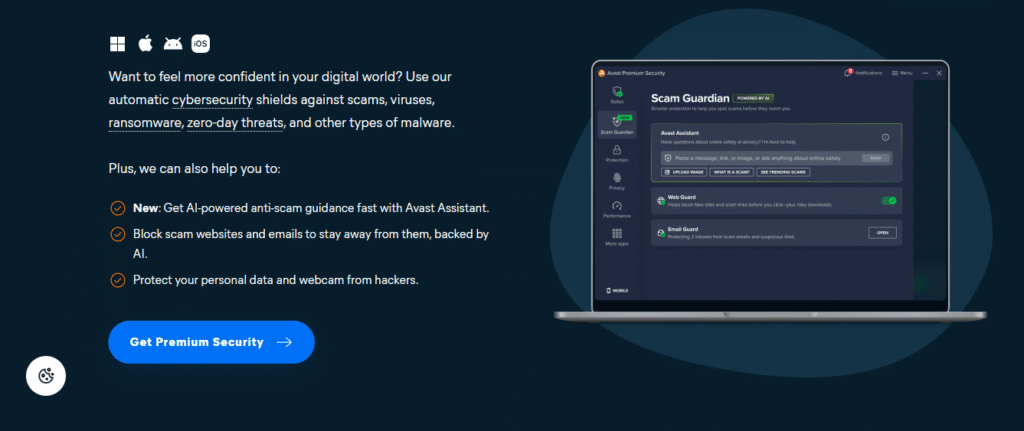
2. AI-Powered Scam Protection
Avast Assistant helps identify fake websites and phishing emails. It gives instant alerts if you click something risky.
This feature is especially helpful for stopping online scams. It’s like having a smart shield while you surf the internet.
3. Web & Email Shield
Avast blocks harmful links in your browser and email. It scans downloads, attachments, and forms you fill out online.

This helps prevent sneaky threats from entering your system. It works with most major browsers and mail apps.
4. Wi-Fi Network Inspector
Avast checks if your home Wi-Fi is safe and secure. It looks for weak passwords, open ports, and vulnerable devices.
If something looks risky, it gives clear steps to fix it. This keeps your whole network safer not just your PC.
5. Ransomware Protection
This feature blocks ransomware attacks that try to lock your files. Avast guards sensitive folders like documents and photos.
It prevents apps from making unwanted changes. So even if malware gets in, your data stays safe.
6. Device Cleanup Tools
Avast can speed up your device by removing junk files and background processes. It clears storage space and improves performance.
This helps older PCs run smoother. Cleanup is easy to run and doesn’t delete important stuff.
7. Firewall & Webcam Shield
The firewall monitors traffic coming in and out of your system. It blocks suspicious apps and hackers from accessing your data.
The webcam shield stops unknown apps from spying on you. These two tools add strong layers of privacy.
8. Cross-Device Support
Avast works on Windows, macOS, Android, and iOS. You can protect all your devices under one account. The interface is simple on each platform.
Whether you’re on your phone or laptop, your protection stays consistent.
Avast Antivirus Installation (Step-by-Step)
Getting Avast set up on your device is surprisingly quick. Whether you’re using Windows or macOS, here’s how to do it:
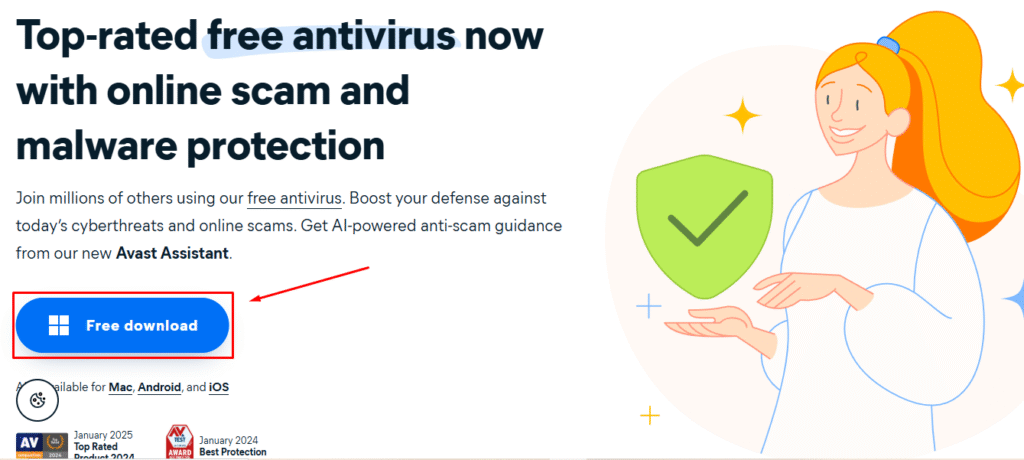
Step 1: Go to the official Avast website – Visit Avast.com and navigate to the “Free Antivirus” page by clicking on “Free download”.
Step 2: Download the installer – Click on the download button for the free or paid version, depending on your choice.
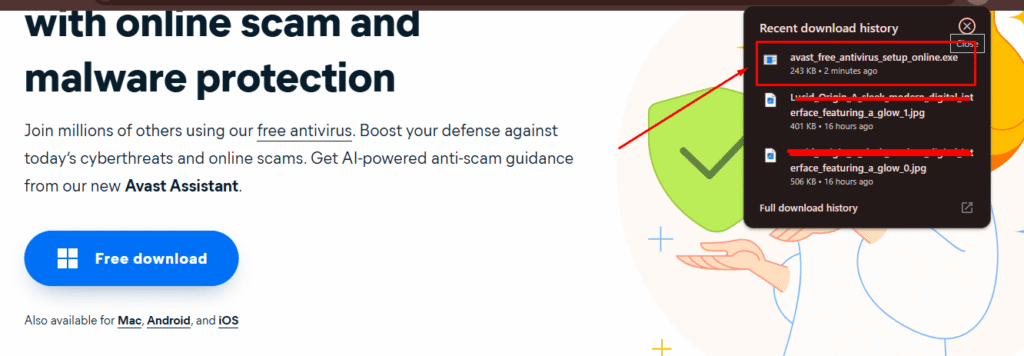
Step 3: Run the setup file – Once downloaded, open the file. On Windows, you’ll need to give admin permissions.
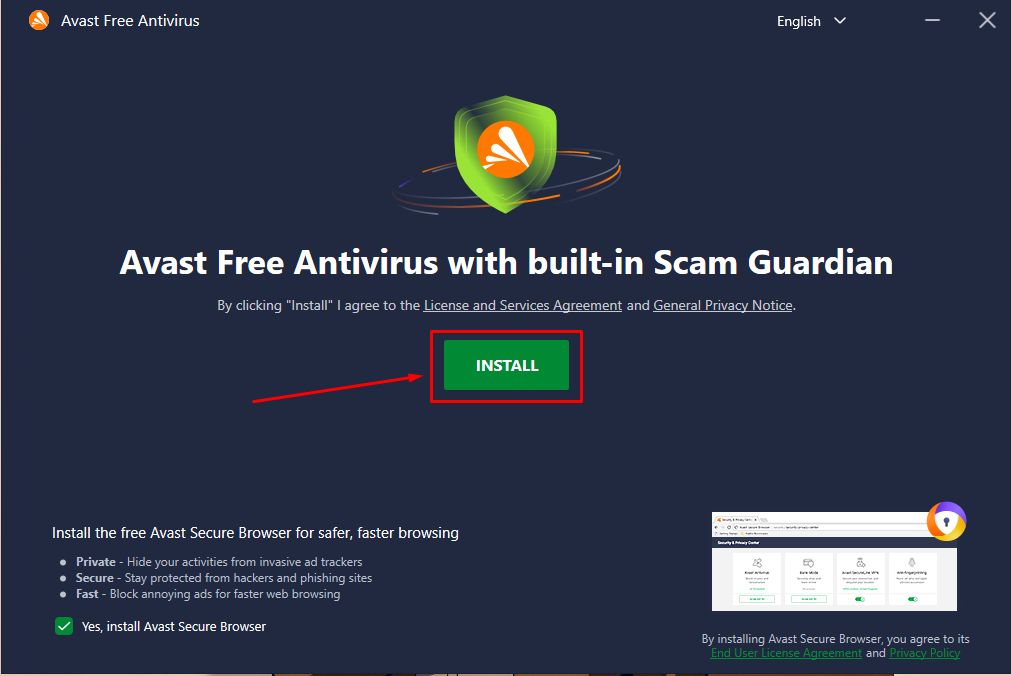
Step 4: Follow the on-screen instructions – Choose your language, preferred settings, and whether you want additional tools.
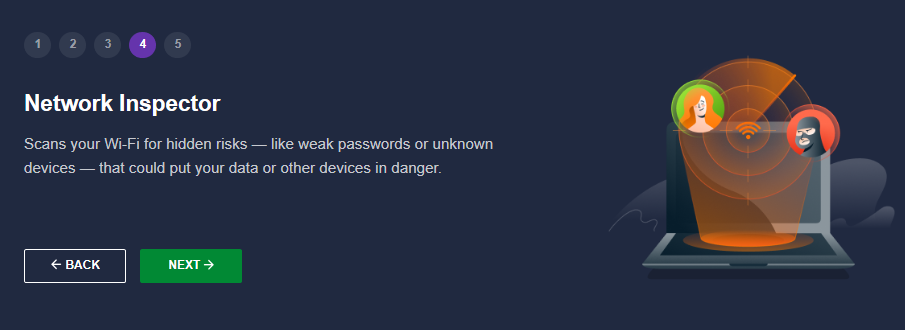
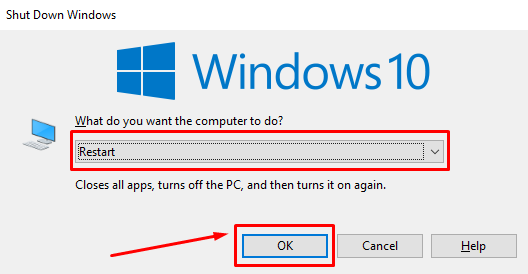
Step 5: Finish and restart if needed – Avast will install in a few minutes. Some features might ask for a restart to be activated.
That’s it! After installation, Avast automatically starts scanning your system and keeps running in the background. You can open the app anytime to run a Smart Scan or customize settings.
How Avast Performs: Speed, Detection & Real-Life Use
Detection Power & Lab Tests
- In independent tests, Avast generally performs well. For example, it blocked 94% of threats in one test of 50 malicious links.
- In paid tiers, it adds protections against deeper threats and ransomware.
- Not perfect. Some lab reports show occasional false positives (i.e. safe files flagged incorrectly).
Speed & System Load
- Avast is fairly lightweight. You’ll rarely notice your computer slowing down during scanning in everyday tasks.
- Deep scans or boot-time scans take more time (as expected).
- The interface is clean and easy to use, which helps reduce confusion or frustration.
Pricing Plans of Avast 💰
1. Free Version (Basic Protection)
The free option covers malware, URL scanning, email protection, and core shields.
You won’t get advanced features like ransomware protection, webcam blocking, or secure file shields — those are reserved for paid plans.

2. Paid Versions (Premium & Ultimate)

Here’s how Avast’s paid plans compare for the first year (prices may vary by region and device count):
- Free Antivirus – Get basic virus and malware protection at zero cost for one device.
- Premium Security (1 PC) – Block ransomware, phishing, and online scams with advanced protection for just $49.08/year.
- Premium Security (10 Devices) – Protect your whole digital life across multiple devices for $49.08/year (55% OFF).
- Ultimate (10 Devices) – All-in-one security, privacy, and performance bundle for $69.48/year (50% OFF).
Pros & Cons of Avast 🚀
| Pros | Cons |
|---|---|
| AI-powered scam detection protects you from phishing, fake sites, and fraud attempts. | Premium features require a paid subscription. |
| Offers a solid free antivirus option with essential protection tools. | Can show frequent upgrade and product pop-ups. |
| User-friendly design that’s easy to navigate for beginners and pros. | Full optimization tools not included in free version. |
| Available on PC, Mac, Android, and iOS — supports multi-device use. | |
| Includes VPN, AntiTrack, and BreachGuard for advanced privacy protection. | |
| Cleanup tools help speed up your device and remove junk files easily. | |
| 30-day money-back guarantee gives peace of mind for new users. |
Why Choose Avast For Protection? 🤩
Choosing Avast means choosing a brand with over 30 years of cybersecurity experience and global trust. It’s not just about offering antivirus tools Avast focuses on keeping users safe in today’s fast-changing digital world.
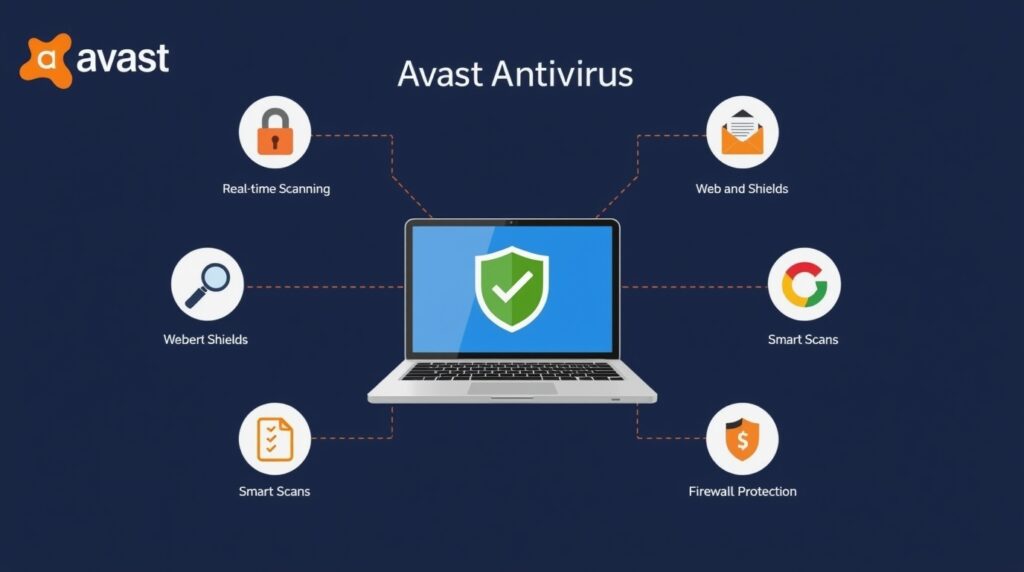
Avast has one of the largest threat detection networks in the world, which allows it to stay ahead of new cyber risks. Every day, millions of threats are blocked using real-time data and insights from a global user base.

Another reason people choose Avast is its commitment to accessibility. Whether you’re tech-savvy or a beginner, its software is easy to install, simple to use, and designed for all types of users from students to seniors.
Beyond security, Avast also invests heavily in user privacy, transparency, and independent testing. Their products are backed by consistent awards and certifications, offering peace of mind before and after installation.
Avast vs Bitdefender vs Norton 💥
| Feature | Avast | Bitdefender | Norton |
|---|---|---|---|
| Free Version | Yes, with strong basic protection | No free full suite, only trial | Limited features in free trial only |
| Ransomware Protection | Included in Premium | Advanced layered protection | Strong ransomware detection system |
| Device Performance Tools | Cleanup Premium available | Built-in optimization tools | System tune-up tools included |
| Privacy Protection | VPN, AntiTrack, BreachGuard | Premium VPN, anti-tracker, and ID protection | Full identity and privacy suite included |
| Ease of Use | Beginner-friendly and clean interface | Sleek but a bit technical for new users | Simple and easy for all user types |
| Pricing | Free + Affordable paid options | Higher starting price but more features | One of the pricier options on renewal |
Customer Reviews & Testimonials 🙋🏻♂️

Alex P.
⭐⭐⭐⭐⭐
Avast gave me real peace of mind. I’ve been using the Premium plan for a year now and haven’t had a single issue with viruses or scams.

George White
⭐⭐⭐⭐⭐
I like how simple Avast is. It blocks harmful sites and even reminds me when Wi-Fi isn’t secure. Very helpful for everyday browsing.

Nina Wood
⭐⭐⭐⭐
The Cleanup tool is my favorite part of Avast. It cleared up space and now my old laptop runs much faster. Totally worth it!
Conclusion: Is Avast Really Worth It? 🏁
Yes, absolutely. Avast is a smart choice if you want solid, easy-to-use protection without overcomplicating things. It offers both free and premium plans, so you can start with the basics and upgrade when needed all while staying secure from viruses, scams, and privacy threats.

According to my experience, Avast delivers excellent value for the price. From the AI-powered scam detection to tools like Cleanup and SecureLine VPN, it covers all the essentials and more.
Avast Antivirus delivers solid, usable protection for malware, phishing, and basic threats. Its user interface is beginner-friendly, and the free version is decent for casual users.
If you’re looking for trusted antivirus software that protects your devices and online identity without slowing them down, Avast is 100% worth trying.
Must Read:
FAQs 💬
Answer: Avast offers a free version with basic protection, but its premium features (like ransomware protection, VPN, and additional security tools) require a subscription.
Answer: Avast is generally lightweight and doesn’t significantly slow down your device during everyday use. However, deeper scans (e.g., full or boot-time scans) can take more time, especially on older devices.
Answer: Yes, Avast offers multi-device plans that cover Windows, Mac, Android, and iOS under one subscription.
Answer: Yes, Avast includes a password manager in its premium and ultimate plans. However, this feature is not available in the free version.
Answer: Avast provides web shield and phishing protection tools that help protect your sensitive online activities, including online banking. For better security, the premium version offers extra layers like the Secure Browser.