
Are you looking for a way to create high-quality videos without filming yourself or hiring a production team? 🎬
If yes, you’re in the right place. ✅
Whether you want to make explainer videos, training content, product demos, or localized marketing campaigns.
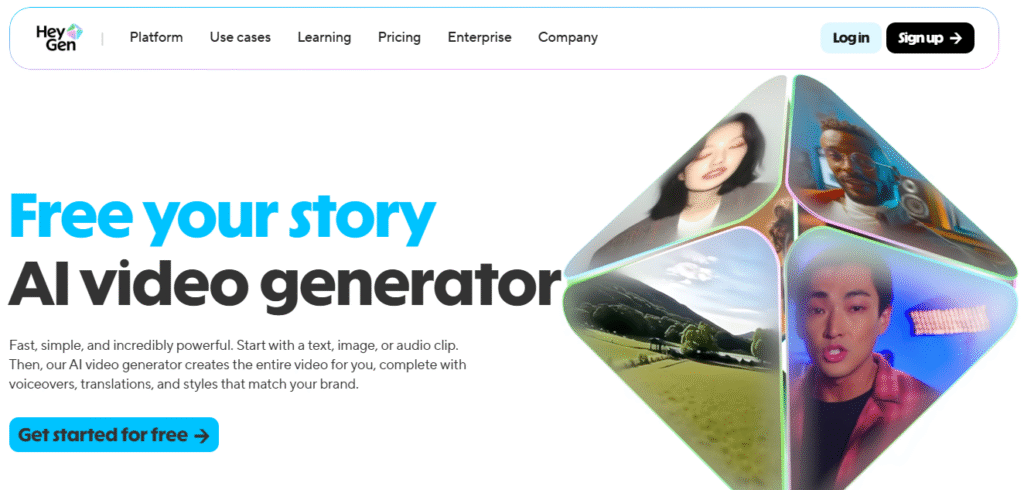
HeyGen offers advanced features like lifelike AI avatars, voice cloning, and multilingual dubbing all packed into a user-friendly platform that saves time and cuts costs.

In this HeyGen review, we’ll dive into how this all-in-one AI video generator is helping creators, marketers, educators, and businesses produce stunning videos from just text, images, or audio with no camera, no crew, no editing experience needed.
I personally use HeyGen for content creation, and in this review, I’ll share my experience to help you decide if it’s right for you too.
🎬 HeyGen at a Glance
HeyGen is a powerful AI video generator that helps creators, marketers, and teams make stunning videos—without needing a camera, crew, or editing skills.
- Turn text, images, or audio into videos with realistic AI avatars and voices.
- Create in 175+ languages with automatic voiceover, lip-sync, and subtitles.
- Use lifelike avatars, voice cloning, and custom branding to stay on message.
- Collaborate easily with your team using HeyGen’s built-in studio editor.
What Is HeyGen? 🤔
HeyGen is an AI video generator that helps you create videos without needing a camera, actors, or video editing skills.
You can start with just a script, image, or audio and HeyGen turns it into a full video with voiceovers, lifelike avatars, and background scenes

Imagine you have a script just plain text. HeyGen lets you turn that into a video, where a virtual person (avatar) speaks your lines, in your voice (or a voice you pick), in dozens of languages, with backgrounds and movement.
More formally: HeyGen is a cloud‑based AI video generation platform where you can use pre‑made avatars or create your own digital twin (avatar) to produce videos from text.
Here’s a little breakdown:
- Pick or create an avatar → the “person” in the video.
- Input your script (what you want the avatar to say).
- Choose voice, language, lip‑sync, background, style.
#8 Key Features of HeyGen ✨
Let’s look at the standout features that many users highlight.
1. Text to Video
HeyGen lets you turn any text or script into a complete video. You simply type what you want to say, choose an avatar, pick a voice, and the AI will generate a professional video for you.
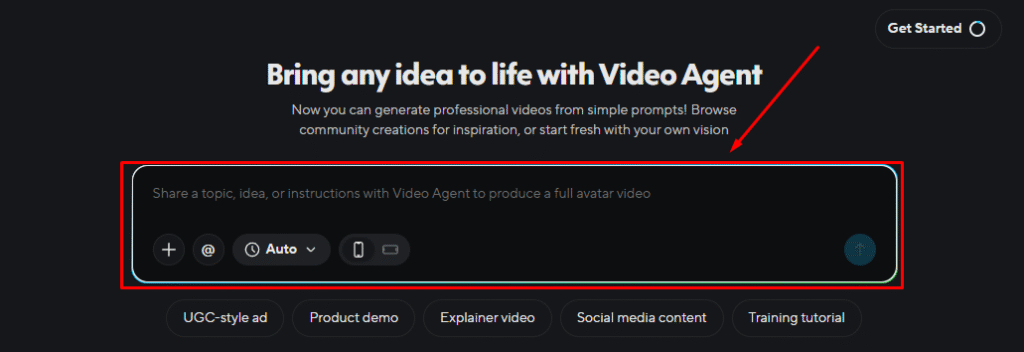
It adds lip-sync, voiceover, and background visuals automatically. This is perfect for making explainer videos, tutorials, or product pitches quickly.
2. AI Avatars
With HeyGen, you get access to over 1,000 lifelike AI avatars, or you can create your own from a photo or short video.
These avatars move, talk, and show expressions just like real people. You don’t need to be on camera yourself your avatar does the talking for you. It’s a great way to make content without filming anything.
3. Voice Cloning
HeyGen can clone your voice so you don’t have to record audio every time. Once set up, the AI can speak your words in your voice, even in other languages.
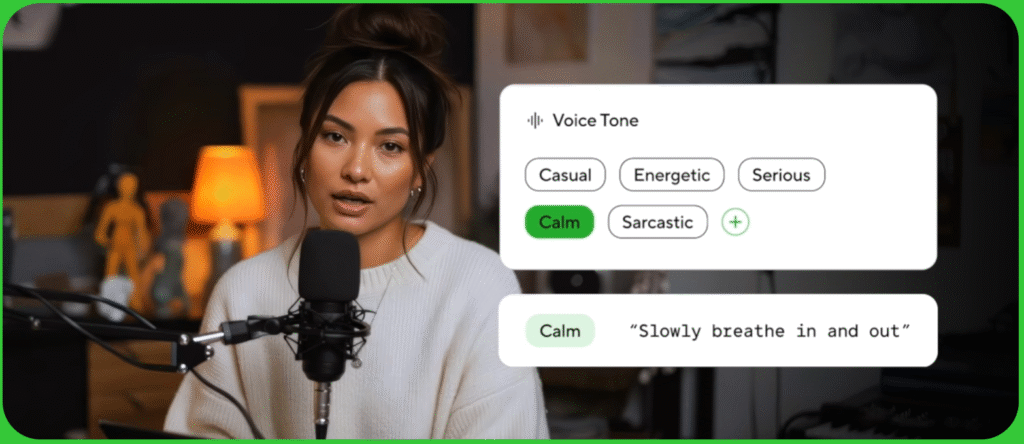
It keeps your natural tone and emotion, making your content sound more personal and trustworthy. This saves time and keeps your brand voice consistent.
4. Multilingual Video Translation
You can instantly translate your videos into over 175 languages with HeyGen.
It changes the voice and syncs the lips to match the new language, so it looks and sounds natural. You don’t need to hire voice actors or re-record anything. This is ideal for reaching global audiences with one simple click.
5. Image to Video
HeyGen can turn a single photo into a talking video. Just upload an image, add your script, and the AI will make the avatar speak with full lip-sync.
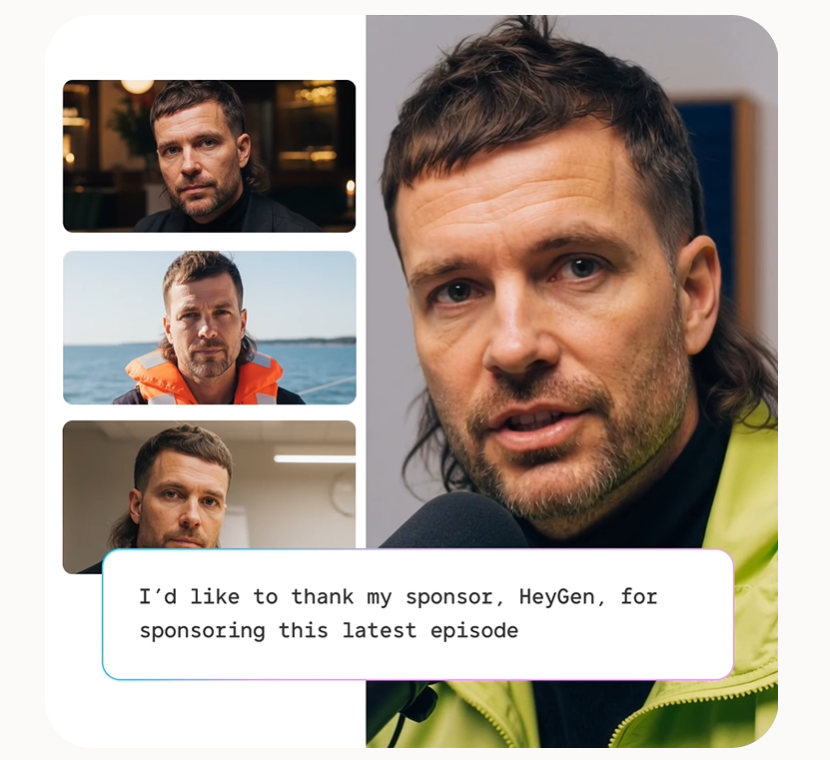
You can also add music, background, and effects to make it look polished. This is great for short messages, welcome videos, or social media content.
6. Studio Editor
The built-in Studio Editor makes video editing feel like writing a document. You can easily change text, scenes, voiceovers, and more all without needing video editing skills.
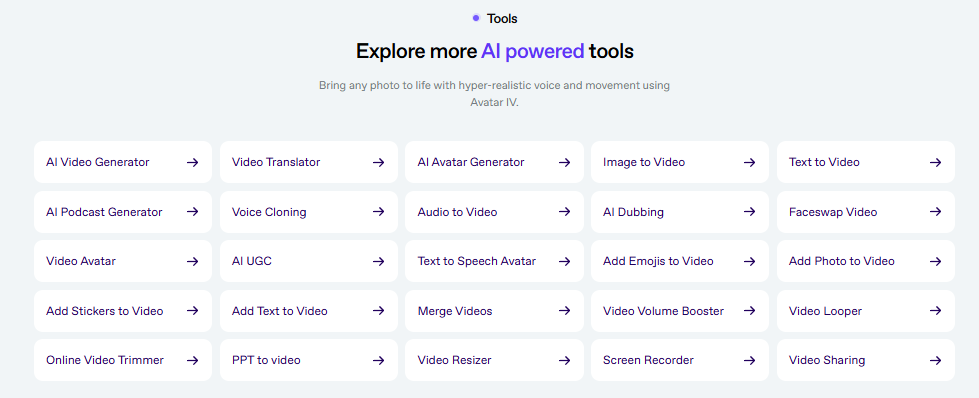
It keeps everything simple and clean so that beginners and teams can make high-quality videos fast. Everything is done in one place.
7. Custom Branding
HeyGen lets you upload your logos, brand colors, fonts, and images to use in every video.
This ensures all your content stays on-brand and looks professional. You don’t have to redo the same design work each time. It’s a powerful feature for businesses, marketers, and agencies.
8. Team Collaboration
With HeyGen, your whole team can work on videos together. You can leave comments, tag teammates, and edit videos live on the same platform.
This helps teams stay organized, align on message, and speed up production. It’s especially useful for companies creating content at scale.
How To Get Started With HeyGen? (Step-by-Step)
Let’s go through the steps one by one, as simply as possible.
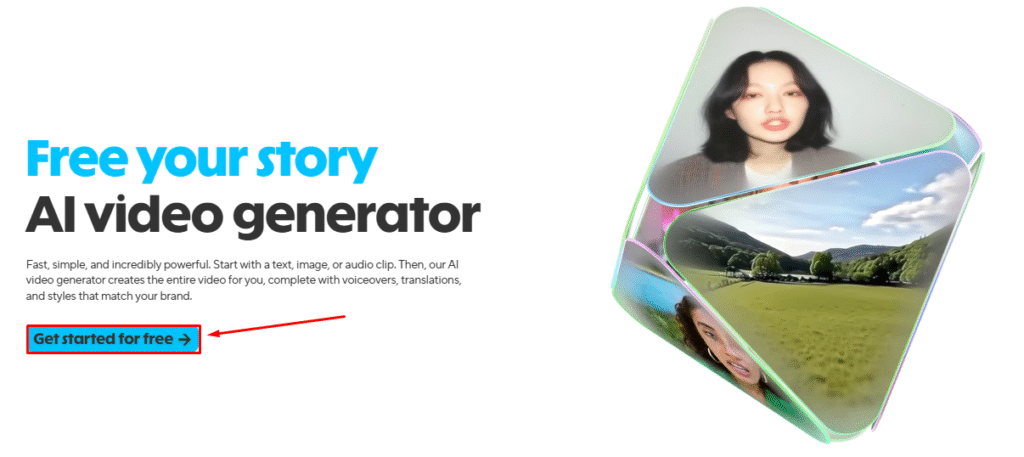
Step 1: Visit official website of HeyGen and click on “Get started for free” button.
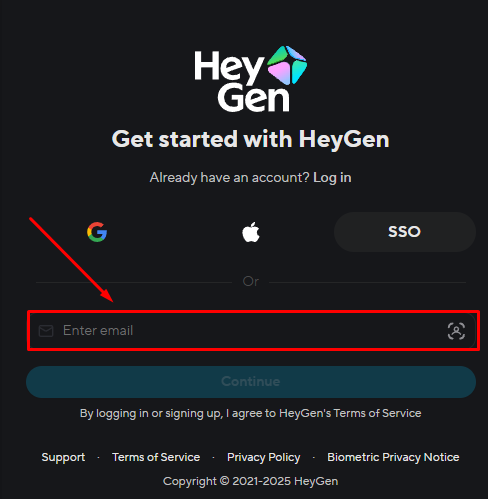
Step 2: Create your HeyGen account. Enter your email address and click on “Continue” button.
Step 3: Choose Your Avatar. You’ll be shown a library of avatars people looking‑real, cartoonish, realistic, etc. You can pick one that fits your tone.
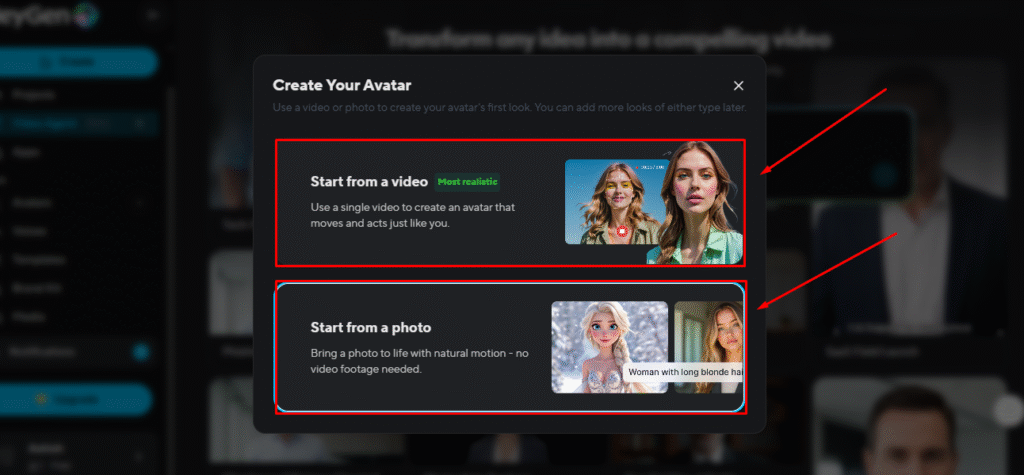
If you want, you can create your own avatar by uploading a short video of yourself (consent required) so the avatar looks like you.
Step 4: Enter Your Script – Write the text you want the avatar to speak. It could be: “Hello! Welcome to my channel…” or a product demo, or training content.
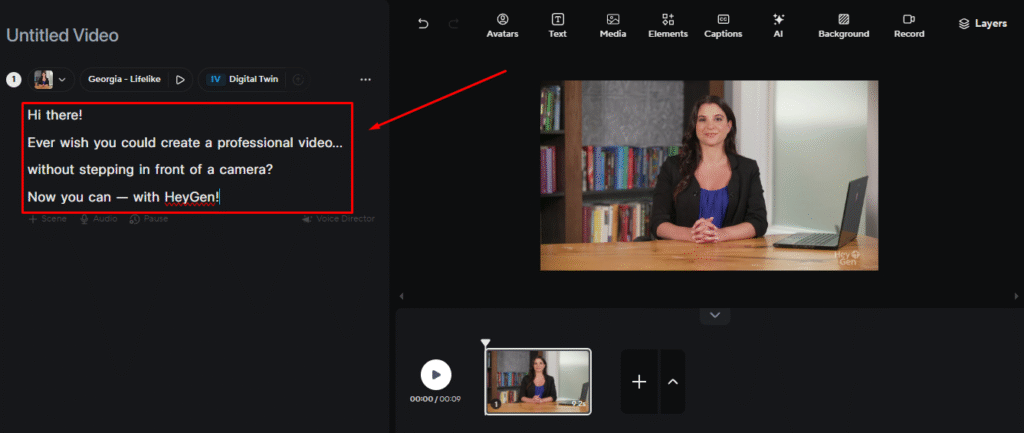
Sometimes you can even pick the tone (friendly, serious, fun) and language.
Step 5: Choose Voice & Language – Pick a voice (male/female, accents, tone) and a language. HeyGen supports many languages and accents.
You can also tweak pitch, speed, etc (depending on your plan).
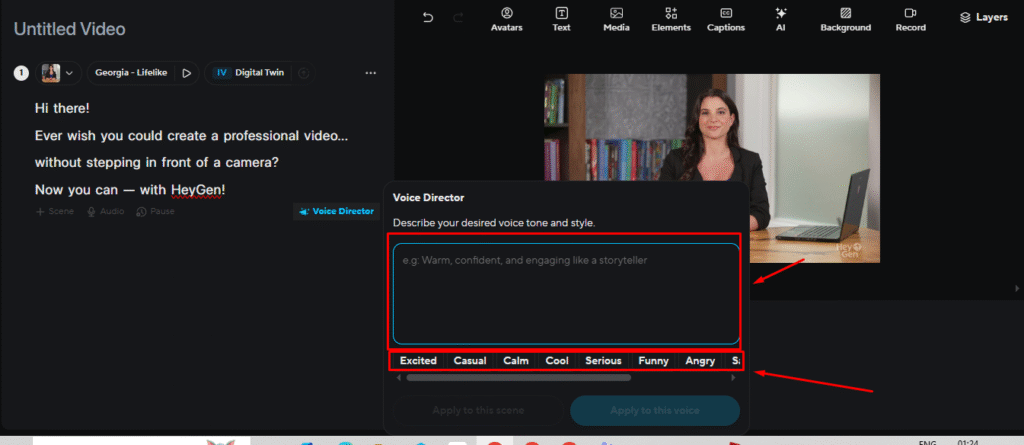
Step 6: Generate & Download Your Video.
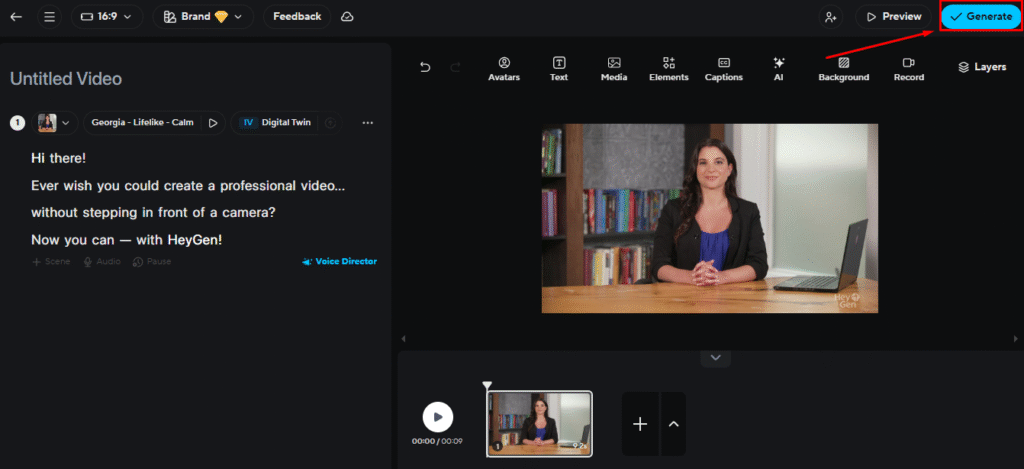
Click on “Generate” button. The system will render your video (this may take minutes). Once done, you can preview and download/share. And you’re done! 🎉
Pros & Cons of HeyGen ✨
HeyGen Pricing Plans 💰
Here’s a simplified view of how pricing tends to work for HeyGen (based on latest info). It may change, so always check the site.
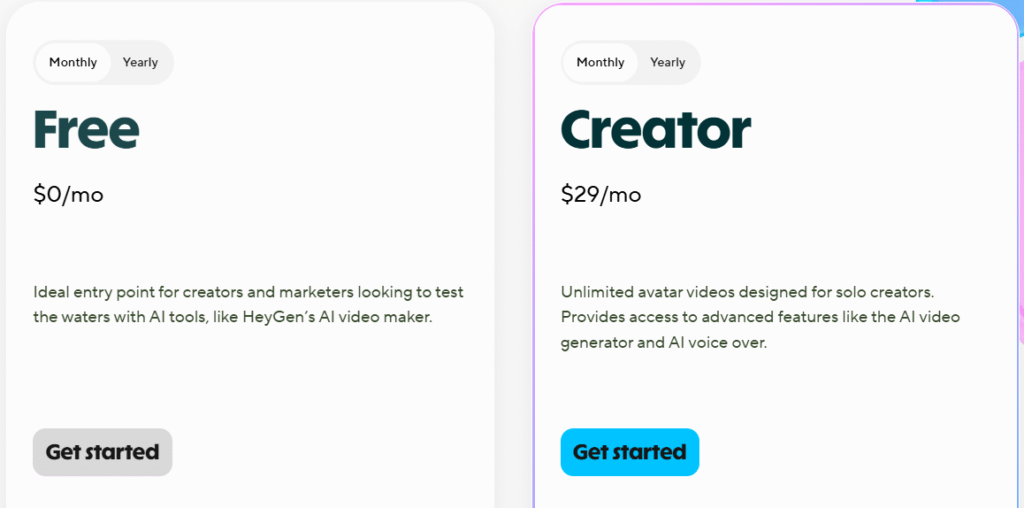
- Free Plan – Great for beginners to try HeyGen with 3 short videos per month and basic features.
- Creator Plan ($29/mo) – Ideal for solo creators needing unlimited video creation, voice cloning, and branding tools.
Why Choose HeyGen? 🔥
HeyGen is one of the easiest and most powerful AI video tools available today.
Whether you’re a creator, marketer, or educator, it helps you make high-quality videos without needing a camera, studio, or editing skills.
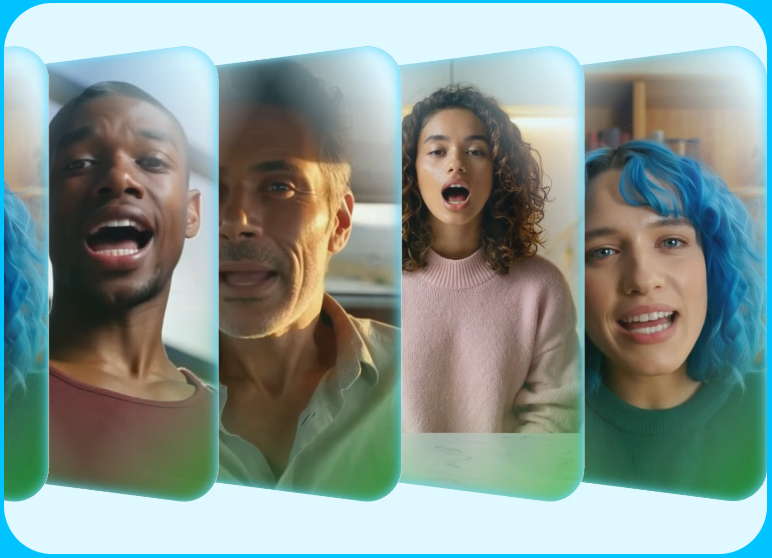
What makes HeyGen stand out is its lifelike avatars, voice cloning, and support for 175+ languages. You can create professional videos just by typing a script, and the AI does the rest from voice to visuals.
I also tried HeyGen, and it honestly impressed me. It’s fast, fun, and super useful. The avatars look real, the voices sound natural, and the editor is beginner-friendly. It made my content creation so much easier.
If you want to save time, cut costs, and still produce high-quality videos for your business or brand, HeyGen is absolutely worth a try.
HeyGen vs Synthesia vs VEED.io 💪
| Feature | HeyGen | Synthesia | VEED.io |
|---|---|---|---|
| Text to video | Yes | Yes | Basic |
| AI avatars | 1000+ avatars | 100+ avatars | No avatars |
| Voice cloning | Yes | Limited | No |
| Multilingual support | 175+ languages | 120+ languages | Basic subtitles |
| Image to video | Yes | No | No |
| Video translation | Auto + Lip sync | Manual edits | Subtitles only |
| Studio editor | Text-based UI | Basic UI | Timeline editor |
| Best for | Creators & teams | Enterprise training | Social video editing |
Who Should Use HeyGen? 🚀
- Content Creators
If you make YouTube videos, online courses, or social media content, HeyGen helps you create high-quality videos without needing a camera or editing skills. - Marketers
HeyGen is perfect for marketing teams who want to make product videos, ads, and promotional content fast. It supports branding, voiceovers, and even multilingual videos..

- Educators & Trainers
Teachers, coaches, and training teams can use HeyGen to create lessons, onboarding videos, and explainer content in just minutes with no filming required. - Small Businesses
Small business owners can use HeyGen to explain services, pitch ideas, or communicate with customers through clear, professional videos. - Remote Teams & Enterprises
For large teams, HeyGen makes it easy to scale video creation. Collaborate, stay on-brand, and save time on training, communication, and internal content. - Anyone New to Video Creation
Even if you’ve never made a video before, HeyGen is simple enough for beginners. Just type, click, and your video is ready to go.
Customers Reviews 🙋🏻♂️

Samuel T.
⭐⭐⭐⭐⭐
I used HeyGen to create product demos for my startup. The avatars are so real, my clients thought we had a full video team!

Rafael N.
⭐⭐⭐⭐⭐
I make training videos in multiple languages. HeyGen saved me hours with instant translation and voice sync with no reshoots needed!

Robin Wood
⭐⭐⭐⭐
As a solo creator, I love how HeyGen lets me create high-quality content without hiring voice actors or editors. Super easy to use!
My Final Thoughts 🏁
Yes, absolutely! HeyGen is one of the best AI video tools available today.
It makes video creation fast, easy, and professional, even if you’ve never made a video before. From text-to-video, lifelike avatars, and voice cloning to instant translation in 175+ languages, HeyGen gives you everything you need to create content at scale.
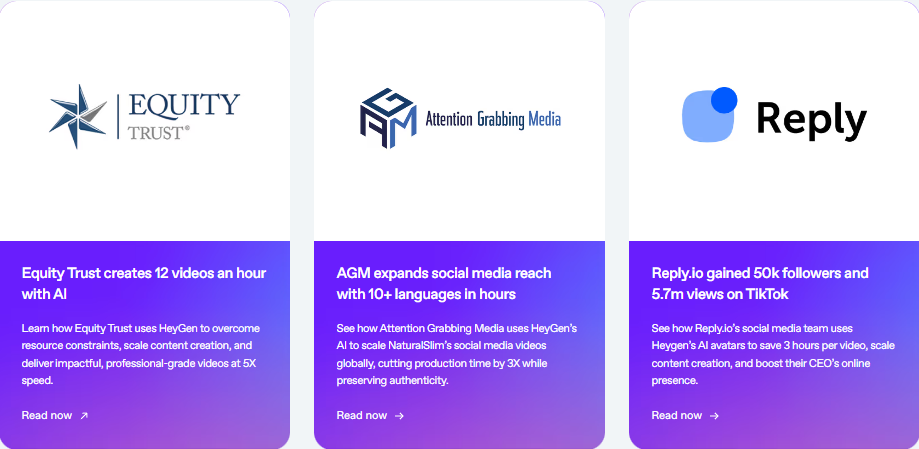
Whether you’re a solo creator, marketer, educator, or part of a growing team, HeyGen can save you time, cut costs, and help you produce high-quality videos without the need for a camera, studio, or editing skills.
I personally tried it and found it to be incredibly useful and fun to work with especially for creating videos on the go. If you’re looking to create engaging videos without all the hassle, HeyGen is absolutely worth trying.
If I had to sum it up: HeyGen is very good at what it sets out to do making pro‑looking videos quickly with AI avatars and minimal tech skill.
Must Read:
FAQs 💬
Answer: Yes, you can use HeyGen-generated videos on YouTube and monetize them, but make sure to own the script and follow YouTube’s content policies.
Answer: HeyGen states that it follows strong data privacy practices, but always read the terms of service before uploading personal content.
Answer: Yes, some plans allow you to clone your voice or upload your voice recording, depending on the features unlocked in your pricing tier.
Answer: Most avatars show lip movement and blinking. Some advanced avatars offer light facial expressions, but full-body gestures are limited.