
Looking for best Point Of Sale software? 📈
If yes you are in right place. ✅
Have you ever walked into a store where the checkout feels just plain smooth? The item scans, the payment goes through, the receipt prints everything works and you barely notice the process.

That seamless “magic” is what a good point‑of‐sale (POS) system brings and believe me, I dug into Shopify POS to see whether it delivers.
If you’re running a business with both online and offline sales (or planning to), you’ll want to stick around: I’ve used Shopify POS, evaluated its strengths and its pain points, and in this article I’ll walk you through what works, what doesn’t, and whether it’s the right pick for you.
Shopify POS at a Glance
- Unified platform for in-store, online, and mobile sales.
- Real-time inventory, customer profiles, and smart analytics.
- Seamlessly integrates with your Shopify online store.
- Flexible hardware and built-in payment processing included.
Rated 4.7/5 ★ ★ ★ ★ ★
Trusted by growing retailers to simplify sales and scale operations.
Why I Decided to Try Shopify POS? 🛒
I’ve had a small business leaning towards omnichannel online store + occasional pop‐ups + maybe a small retail presence.
I was tired of juggling separate inventory systems, separate customer lists, and reconciling payments across platforms.
When I learned that Shopify (already familiar for many online shops) has a POS app that promises unified inventory, unified customer data, and integration between the physical and digital store, I thought: “Okay, let’s test it out.”

- Inventory gets out of sync between online and offline.
- Staff don’t always know if stock is available.
- Checkout hardware looks dated or clunky.
- Customer data is scattered (online store has one list, physical store has another).
So I set up Shopify POS, ran it through real in‐store transactions, and here’s how the experience went.
What Exactly Is Shopify POS? 🚀
Put simply: it’s the in‐person sales arm of the wider Shopify platform.
It allows you to sell face‑to‑face (in a pop‑up/retail location) and sync that with your online store so everything – products, customers, inventory – is unified.
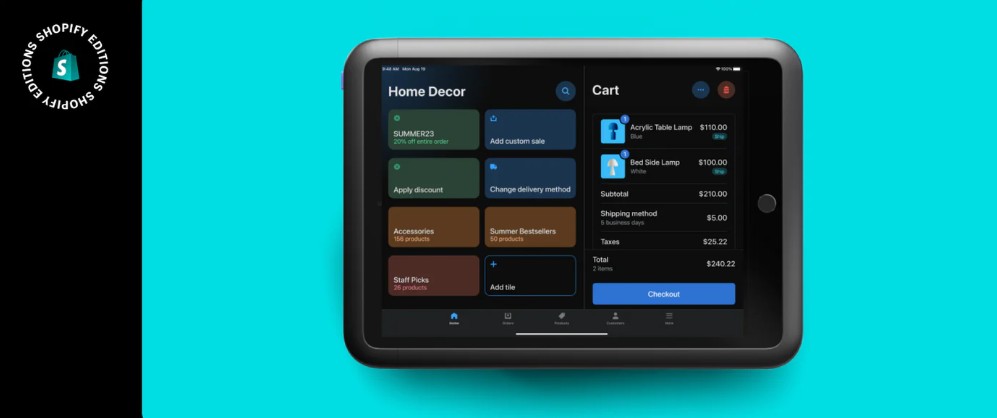
Here are some of the core capabilities:
- Accepting payments (cards, digital wallets, cash) in person.
- Syncing inventory between online and offline, so you don’t end up selling something that isn’t available in one channel.
- Managing customer profiles—knowing who bought what, when, whether online or in store.
- Running one dashboard for your total business (if you have multiple locations or sales channels).
- Hardware support – card readers, terminals, scanners, etc.
In short: this isn’t just a simple “swipe and go” checkout system; it’s built for “retail + online” and deeper sales management.
The Good Stuff: What I Loved? 👌
1. Fast, intuitive interface
From download to my first trial sale, I found the interface fluid. Choose a product, tap checkout, take payment. Even staff not technically very savvy picked it up quickly.
2. Unified inventory & online/offline sync
Because I already had an online store, adding the physical checkout side meant I didn’t need a totally separate system.
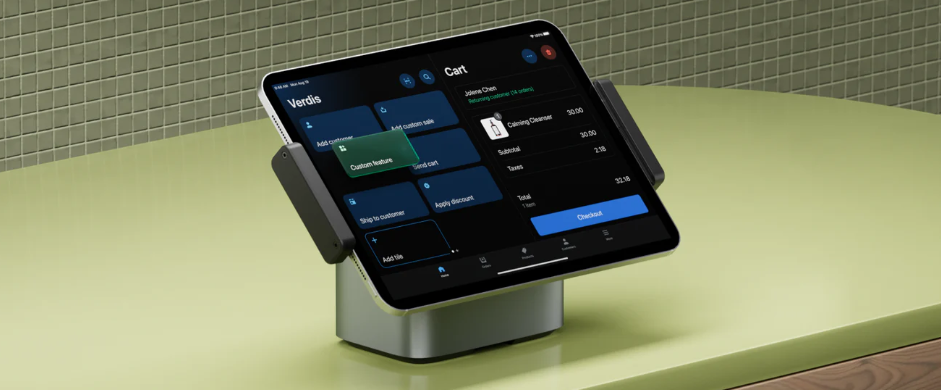
Inventory adjustments made in store were reflected online, so overselling was less of a worry.
3. Customer data made accessible
Having a customer profile that spans both online and offline meant I could: see lifetime value, track repeat offline purchases, and run offers based on actual behaviour rather than just one channel.
This helped with loyalty thinking.
4. Lots of integrations
If you like apps and extensions, Shopify delivers: barcode scanners, receipt printers, loyalty programs, local‑pickup fulfilment, etc. I don’t think I’ve seen many POS systems with this breadth as standard.
5. Omnichannel capability
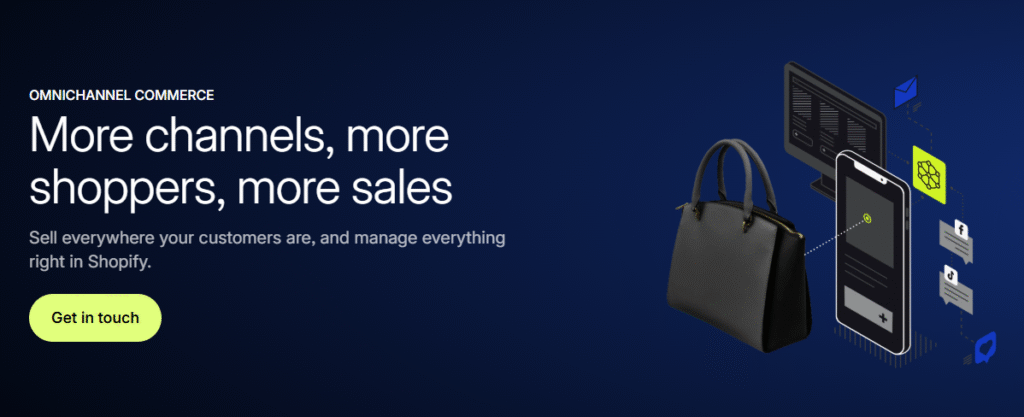
One feature I really liked: you could sell in store, yet fulfil via another location, or ship to customer even though sale was made in store. Buying flexibility = better customer experience.
How to Set Up Shopify POS? (Step-by-Step)
🛠 Step 1: Create a Shopify Account
Go to shopify.com and sign up for a plan. Even the Basic plan includes Shopify POS Lite.
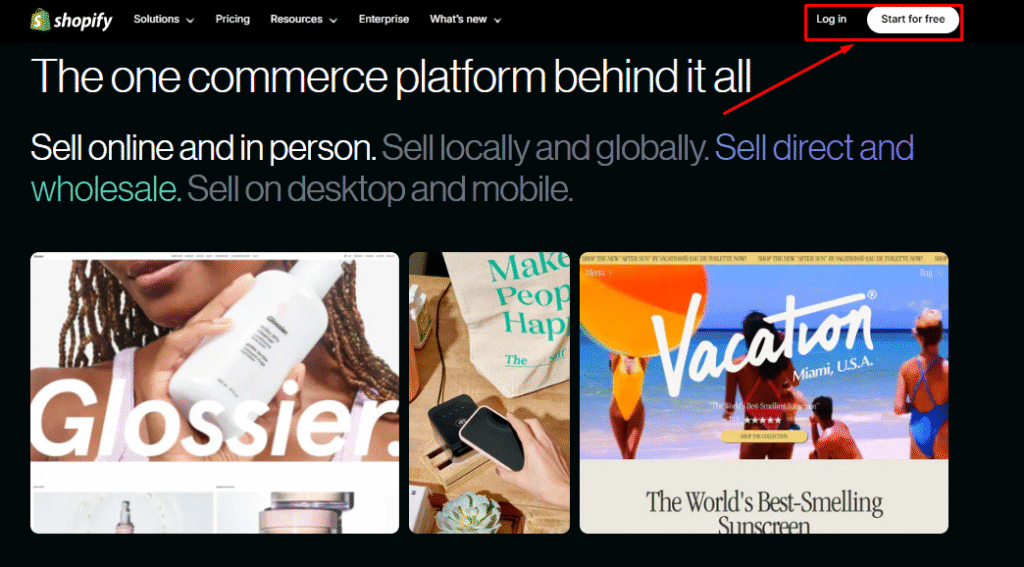
- You can start with a free trial.
- Pick a plan based on your business size (Basic, Shopify, Advanced).
🛒 Step 2: Choose POS Plan.
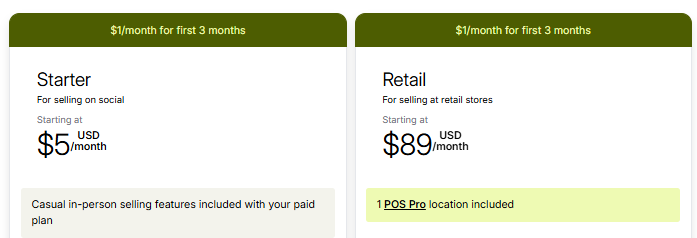
- POS Lite: Comes free with your Shopify plan.
- POS Pro: $89/month per location (for advanced inventory, staff permissions, etc.).
- You can start with Lite and upgrade later.
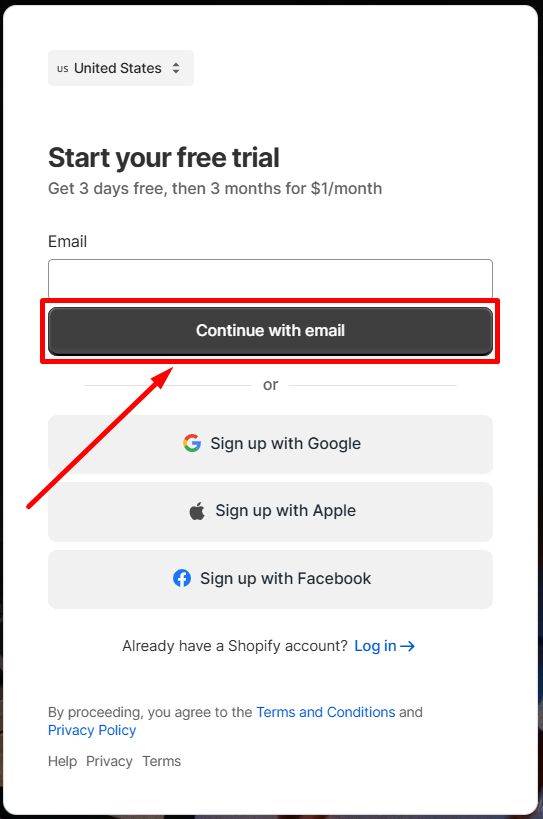
Step 3: Signup/Login Your Account
- You can Signup with your gmail
- If you have Shopify Account. You can Direct Login
🧾 Step 4: Set Up Your Products
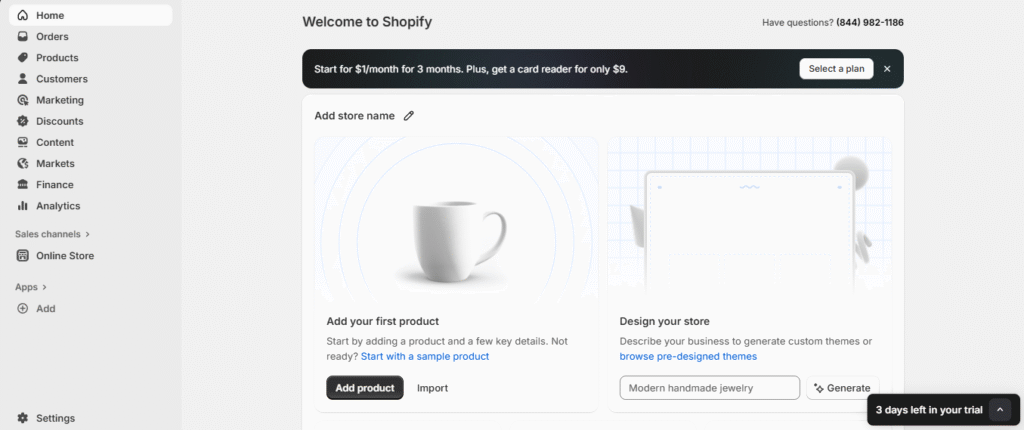
- Add products from your Shopify dashboard (or sync your online store items).
- Include price, description, SKU, barcode, stock quantity, etc.
Pros & Cons of Shopify POS ✨
| Pros ✅ | Cons ❌ |
|---|---|
| Seamless integration with Shopify’s ecommerce platform | Monthly cost adds up with add-ons and hardware |
| Omnichannel support: sell in-store, online, and on-the-go | Limited features on basic POS plan |
| User-friendly interface for fast staff onboarding | Requires reliable internet connection for full functionality |
| Real-time syncing of orders and inventory across all channels | Some advanced features only available in Shopify POS Pro |
| Customizable hardware options for various store sizes | — |
| Built-in analytics and smart inventory management | — |
| Supports staff management and customer profiles | — |
#6 Key Features of Shopify POS ✨
Here are the must‑know features and how they played out for me:
1. Inventory tracking & alerts
When I sold something in store, the online listing automatically adjusted. I also got alerts when items were running low in a particular location. It saved a lot of manual updating and double‑checking.
2. Customer profiles + loyalty
Having offline purchases tied to the same customer account online meant I could identify “heavy buyers” across channels. I created a small loyalty segment for repeat in‑store purchasers. Worked well.
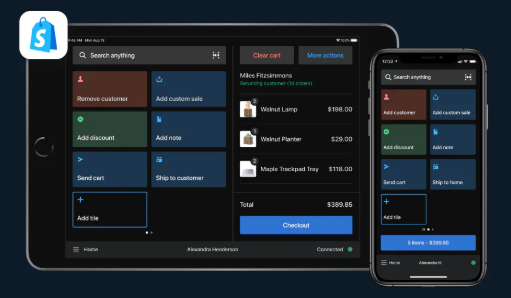
3. Hardware + checkout flow
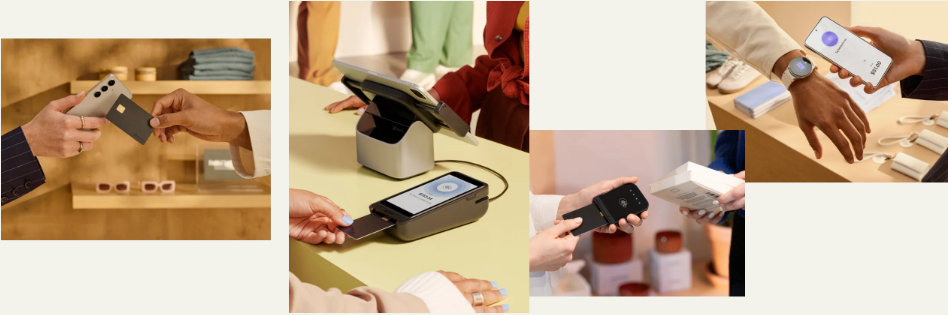
I used a tablet with the Shopify POS app, paired a card reader (Bluetooth) and tested tap/swipe payments. The flow was clean: pick item > apply discount > payment > receipt (digital or printed).
4. Multi‑channel selling
I set up “buy online, pick up in store” and “in store, ship to customer” to test flexibility. Because inventory was centralised, the process felt coherent for the customer.
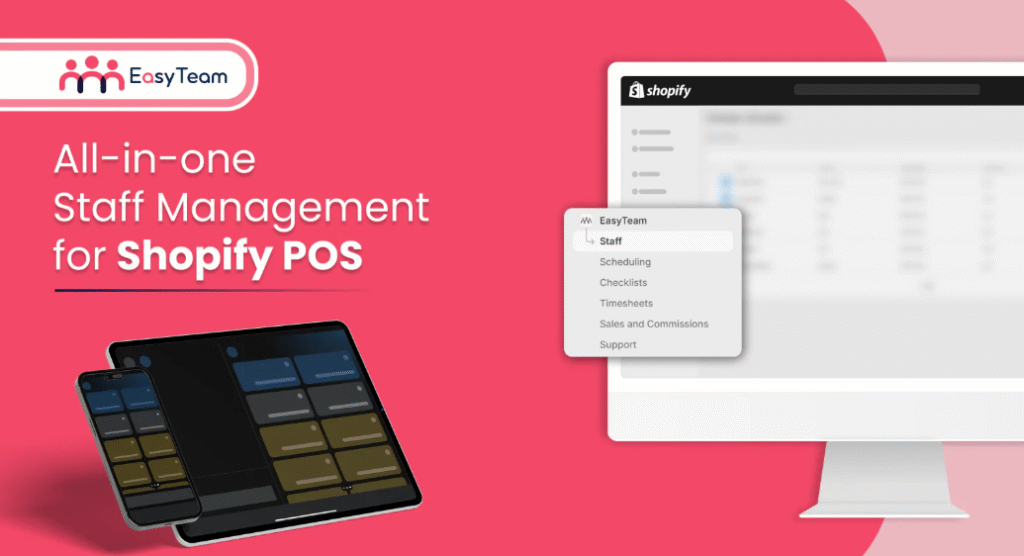
5. Staff management (Pro feature)
When I onboarded a second staff member, I could set permissions: one worked on checkout, another on inventory only. This kind of role control is important for stores with multiple employees.
6. Analytics & reporting
Sales per location, comparison of online vs offline, and product performance across channels these all came through. Good to know what’s driving revenue.
Shopify POS Pricing 💰
Let’s talk money. Understanding the costs upfront saved me from surprises.
- Starter Plan – $5/month: Ideal for casual in-person selling and social media sales.
- Retail Plan – $89/month: Includes 1 POS Pro location for full-featured retail selling.
Shopify POS vs Square POS vs Lightspeed POS 💪
| Feature | Shopify POS | Square POS | Lightspeed POS |
|---|---|---|---|
| Best For | Retailers with an online store | Small businesses and food vendors | Advanced inventory-heavy retailers |
| Pricing | Starts at $0 (Basic), Pro at $89/mo | Free basic plan; paid add-ons | Starts at $89/month |
| Hardware Compatibility | Shopify hardware + third-party | Square hardware or iPad | Lightspeed hardware or BYO setup |
| Omnichannel Features | Native integration with Shopify online store | Limited ecommerce integration | Strong multi-channel tools |
| Inventory Management | Real-time sync across channels | Basic inventory features | Advanced inventory & vendor management |
| Customer Support | 24/7 live chat, email, and phone | Phone support (business hours) | 24/7 support with onboarding help |
| Mobile Capability | iOS & Android support | iOS & Android support | iOS only |
Customer Reviews & Testimonials 👌

Lucas S.
⭐⭐⭐⭐⭐
Shopify POS made our in-store checkout process 10x faster and more reliable. The inventory sync with our online store is seamless!

Dustin T.
⭐⭐⭐⭐
Great for multi-channel selling. I just wish the Pro features were available at a lower price for small shops like ours.

Heather R.
⭐⭐⭐⭐
I love how intuitive the POS app is. Our staff picked it up instantly and the reporting features help track performance daily.
Tips Before You Buy 💡
Here are a few practical tips from my experience:
- Start with Lite: If offline is small now, start with what’s included, test the flow, see if the features suffice.
- Plan your hardware: Decide what level of checkout you want (tablet + reader vs full terminal). Hardware cost adds up.
- Align your metrics: Make sure you track in‑store vs online separately initially so you can see the lift from the POS system.
- Train staff early: Even a good interface benefits from basic training on staff permissions, checkout flow, returns.
- Check your integration needs: If you use external systems (loyalty, ERP, etc), verify they integrate smoothly with Shopify POS.
- Monitor ROI: After 3‑6 months, check: is the extra cost (subscription + hardware + transaction fees) offset by improved throughput, fewer errors, better customer retention?
- Scalability: If you plan to open more locations, the unlimited staff and multi‑location features (Pro) pay off.
- Consider payment fees: If you don’t use Shopify Payments, you may still pay extra transaction fees—factor that into your cost model.
Conclusion: Is It Really Worth It? 🏁
Absolutely worthwhile if you’re a retail business with decent in‑store volume and you want a unified system.
Using Shopify POS felt like moving from separate “online store” + “offline store” silos into one connected ecosystem. That alone makes it a compelling choice for many retailers.

The strength is in its unity: one product catalogue, one customer base, one dashboard.
If your business is growing, planning to scale, and you want fewer operational headaches, it could very well be the tool that allows you to focus on customers rather than logistics.
But if you’re just dipping your toes into physical selling, or your volumes are modest, make sure you aren’t paying for features you won’t use yet. The right strategy might be: start lean, grow into Pro.
Also Read:
FAQs 💬
Answer: Yes, Shopify POS works in offline mode. You can still process cash payments and view product details. However, card payments and data sync will resume once you’re back online.
Answer: Yes, Shopify POS is tied to your Shopify account. You must have an active Shopify subscription to use POS Lite or Pro.
Answer: In some cases, yes. Shopify POS supports certain third-party card readers and printers, but it’s best to use hardware from the official Shopify Hardware Store for full compatibility.
Answer: Shopify POS supports selling in local currencies, but you need to configure currency settings in your Shopify admin. Some limitations may apply depending on your payment provider.
Answer: Yes, Shopify POS works with compatible 1D and 2D barcode scanners. You can scan items for faster checkout and inventory tracking.