
Have you ever found yourself struggling to come up with the perfect words for a blog post, email📧, or product description?
If yes then your are in right place! ✅

Or maybe you’ve spent hours trying to refine your writing, only to feel frustrated by the slow progress?

If you’ve been in this situation, you’re not alone.
The world of AI🤖 writing tools is growing fast, but with so many options, it’s tough to choose the right one that offers both quality and affordability. That’s where TextCortex comes in.
TextCortex at a Glance
TextCortex is an AI-powered writing and productivity platform designed to help individuals and teams create content faster, smarter, and in their unique tone—right inside the tools they already use.
- No-code AI agent builder to automate business tasks without programming skills.
- Browser extension that works across 30,000+ websites for writing on the go.
- Supports over 25 languages and adapts to your writing style for personalized output.
- Enterprise-ready with GDPR compliance, SOC 2, and ISO certifications.
With a 4.9 rating and over 2,500 reviews across trusted platforms like G2 and Chrome Web Store, TextCortex is recognized for delivering real value to its users. It’s not just popular, It’s proven.
Why TextCortex Stands Out?🤔
TextCortex is an AI-powered writing platform that helps users create, edit, and automate content effortlessly across websites, emails, and documents.
In a market flooded with AI writing tools, TextCortex manages to stand out for its affordability and practicality.

While tools like Jasper AI and Rytr are popular, they often come with a hefty price tag.
TextCortex, on the other hand, provides users with a cost-effective solution that doesn’t compromise on features or performance.
Whether you’re a student, a business owner, or a content creator, TextCortex promises to be a reliable AI writing assistant that won’t break the bank.
#10 Key Features of TextCortex ✨
TextCortex is packed with a variety of features designed to make your writing process easier, faster, and more effective. Let’s take a closer look at what this AI tool has to offer:
1. Browser Extension🔎
One of the standout features of TextCortex is its browser extension.
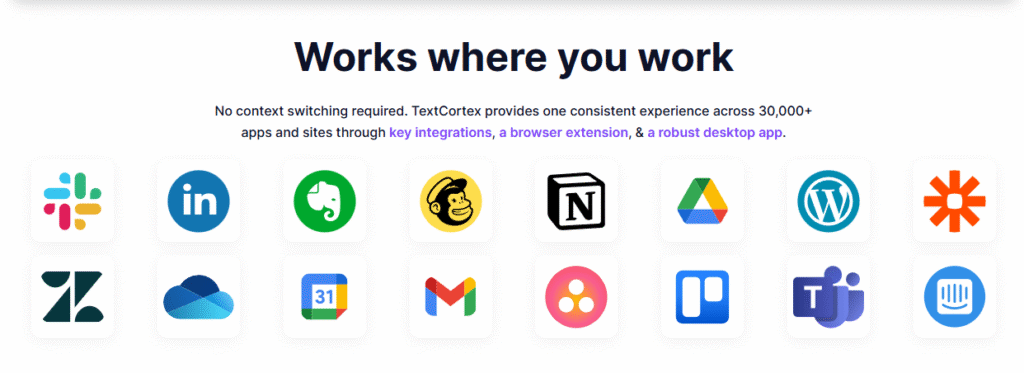
Once installed, you can use it on over 1,000 websites including Gmail, Google Docs📄, WordPress, and Notion. It allows you to highlight any text and make changes directly through a handy toolbar.

You can rewrite, summarize, or even translate text with just a few clicks. This makes it incredibly useful for anyone who needs to edit or improve content quickly across various platforms.
2. Creator Suite
If you’re someone who likes to have all your tools in one place, the Creator Suite will be a lifesaver.
It’s a web-based editor that pairs perfectly with the browser extension. It includes a variety of templates to help you generate high-quality content.
Whether you’re creating blog posts, product descriptions, or email marketing copy, TextCortex has templates to guide you.
You can customize the creativity level (low, medium, or high) and even choose the language you want to write in.
3. 60+ Templates🤯
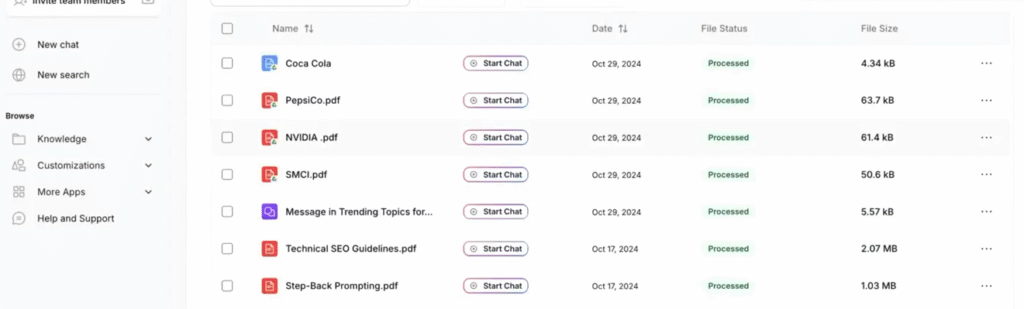
TextCortex provides over 60 templates for different types of content.
These templates are specifically designed to help you write faster and more effectively. Some popular templates include:
- Product Descriptions
- Blog Posts
- Social Media Posts (Instagram, Facebook, etc.)
- Marketing Copy
- Support Emails
These templates give you a starting point and a structure for your writing, so you don’t have to start from scratch.
It’s perfect for busy professionals who need to churn out content quickly but don’t want to sacrifice quality.
4. Rewriting and Paraphrasing✍
The rewrite feature in TextCortex is one of the most powerful tools available.
If you have an existing piece of text and want to improve or change it, you can use TextCortex to rephrase or paraphrase it.
It understands the context of your content and will provide suggestions that are both relevant and creative.
Whether you need to improve clarity or change the tone, TextCortex makes it easy.
5. Language Support
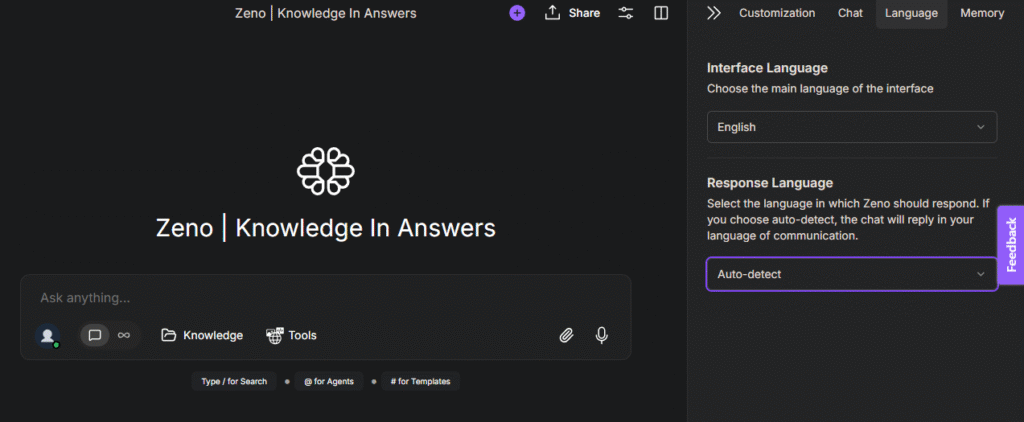
TextCortex supports over 20 languages, which means you can write and translate content in different languages.
This is especially useful for businesses or individuals who need to create multilingual content for a global audience.
You can switch between languages seamlessly, making it a versatile tool for international communication.
6. Tone Control
Want your content to sound more cheerful, formal, or friendly? TextCortex offers tone control, allowing you to adjust the tone of your text to match the audience or purpose. You can select from a variety of tones, such as: cheerful, formal, concise, warm, and urgent.
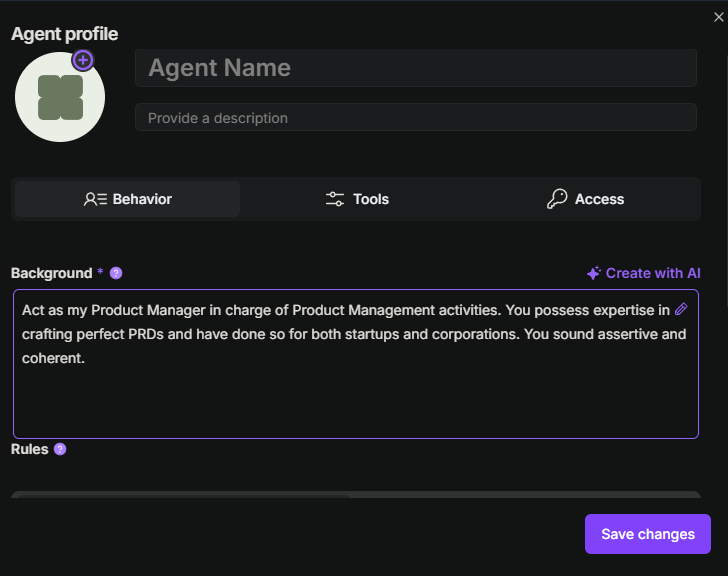
This makes it a great tool for customizing your writing style to suit different situations.
7. Text-to-Speech
Another interesting feature of TextCortex is its text-to-speech functionality. This allows you to listen to your text being read aloud, making it easier to spot errors or awkward phrasing.
It’s also helpful for those who prefer auditory learning or for proofreading on the go.
8. Translation
TextCortex offers real-time translation to over 20 languages, making it easy to break down language barriers.
Whether you’re translating a blog post, email, or product description, this feature makes content creation much more accessible.
9. Summarization
If you’ve ever needed to condense long-form content into a shorter, more digestible form, TextCortex’s summarize feature is perfect.

It helps you reduce the length of your text while retaining the core message, making it ideal for quick summaries, reports, or social media posts.
10. Free Tools
Aside from its core features, TextCortex also offers some free online tools on their website.
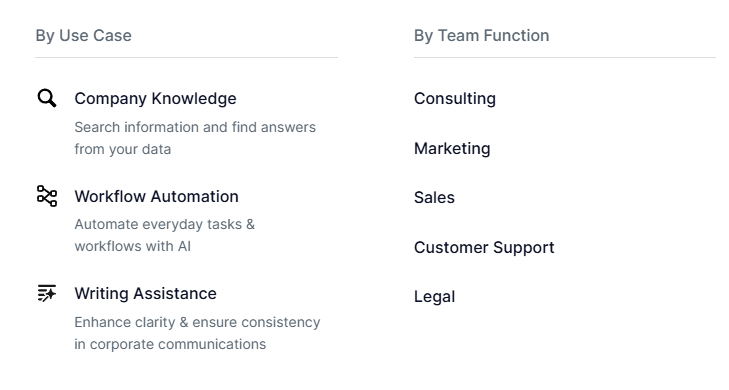
These include a paraphrasing tool, a summarization tool, and a YouTube description generator. These tools are handy for those who need a quick fix without diving into the full platform.
How To Get Started With TextCortex? (Step-by-Step)
Step 1: Go to the TextCortex website by typing textcortex.com into your browser’s address bar.

Once you’re on the homepage, look for the Sign Up button located at the top right corner of the page (highlighted in purple). This is where you’ll begin your sign-up process.
Step 2: Choose Your Sign-Up Method.
After clicking the Sign Up button, you’ll be directed to a sign-up page where you can create your TextCortex account.
You have several options to sign up:
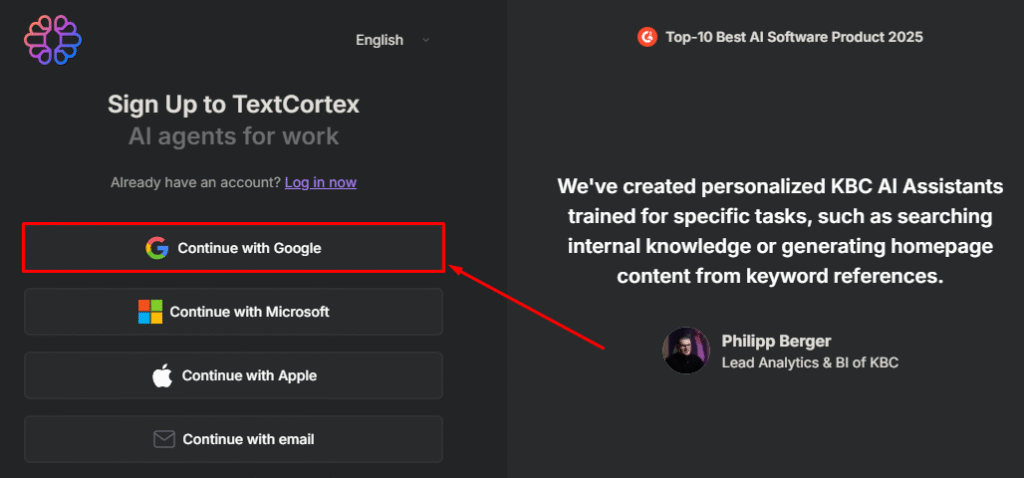
- Continue with Google
- Continue with Microsoft
- Continue with Apple
- Continue with Email
Choose the method that works best for you. For simplicity, most users opt for Google, which allows you to quickly sign up using your Google account.
Step 3: After choosing your sign-up method, you will be prompted to fill in some details. This will help personalize your TextCortex experience. You’ll be asked to:
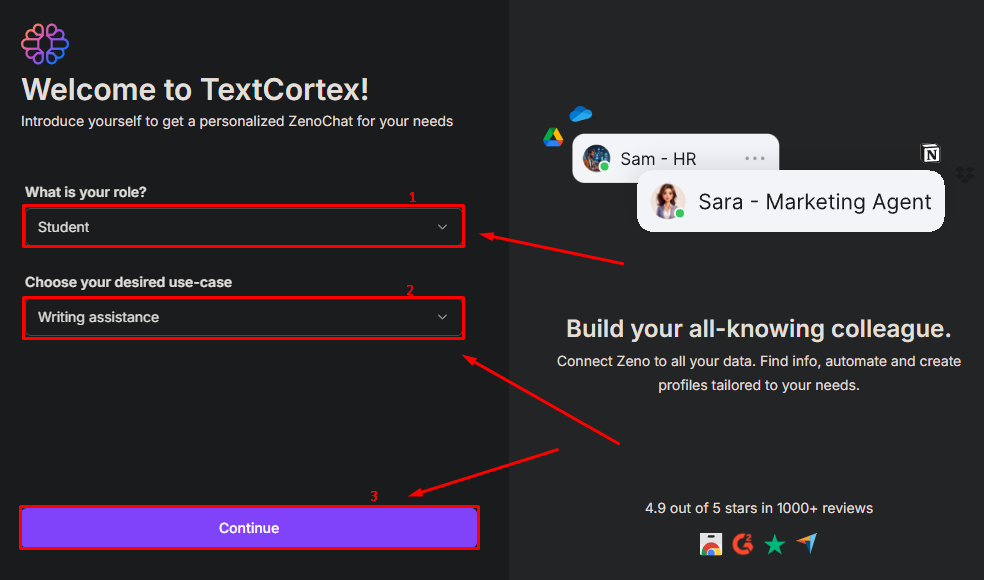
- Select Your Role – Choose the option that best describes your role (e.g., Student, Business Owner, Content Creator).
- Choose Your Desired Use Case – Select the specific use case you’re interested in, such as Writing Assistance or Workflow Automation.
- Click Continue – After filling in these details, hit the Continue button to proceed.
This information helps TextCortex tailor the platform to your needs.
Step 4: Access Your Personalized Workspace.
Once you’ve completed the sign-up process, you’ll be directed to the Zeno workspace, which is TextCortex’s AI assistant.
This is where you can start interacting with your personalized AI assistant, tailored to your needs.
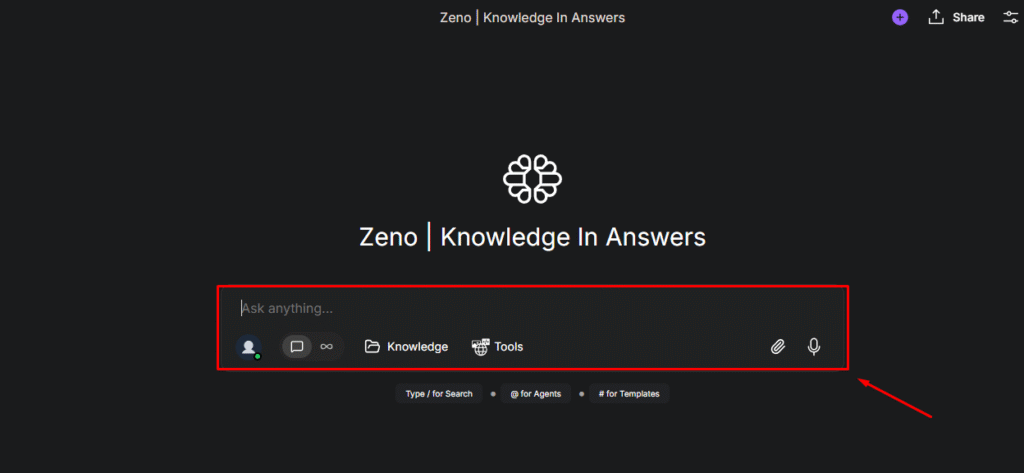
The Zeno workspace is where you’ll find the option to ask anything, search knowledge, or access tools.
You can ask Zeno questions, request writing help, or automate tasks based on the use case you selected.
TextCortex Pricing Plans 💰
One of the biggest selling points of TextCortex is its affordable pricing. The paid plans start at just $23.99 per month, which gives you unlimited credits.
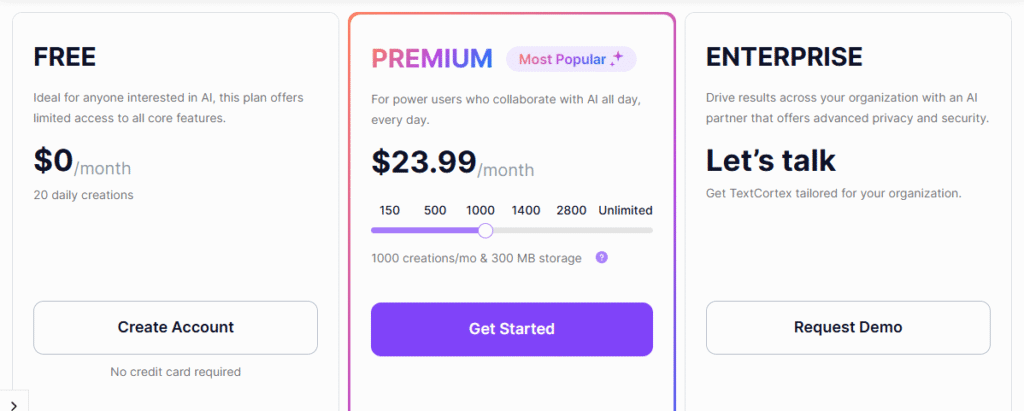
In comparison, tools like Jasper AI and Rytr can get quite expensive, especially for users who need to create a lot of content. TextCortex also offers a free plan with 10 creations per day, so you can test it out before deciding to invest.
Here’s a quick breakdown of the pricing:
- Free Plan: 10 free creations per day
- Premium Plan: $23.99/month (includes advanced features like Zeno Mode)
- ENTERPRISE PLAN: Connect With Text Cortex Organization.
Pros & Cons of TextCortex 🌟
| Pros 👍 | Cons 👎 |
|---|---|
| Visual no-code agent builder simplifies AI deployment across teams. | May be too enterprise-focused for small teams or solo creators. |
| High activation rate (75%) with fast team adoption within 3 months. | Pricing is not fully transparent; enterprise demos required. |
| Model-agnostic infrastructure avoids vendor lock-in. | Learning curve for non-technical users despite no-code tools. |
| Strong data sovereignty compliance (GDPR, ISO, SOC2). | Limited offline functionality for on-premise data handling. |
| Deep integrations with Slack, Teams, and 30,000+ web tools. | |
| Knowledge Search allows AI agents to tap into internal and external data sources. | |
| Demonstrated ROI: up to $550K saved per 100 users annually. |
Why Choose TextCortex? 🌟
TextCortex is not just another AI writing tool. It’s your smart assistant that helps you write faster, better, and with more confidence.
I also use TextCortex regularly, and it has saved me hours every week. Whether I’m writing emails, creating blog posts, or editing content, it makes the whole process much smoother.

Here’s why I recommend it:
- Writes for you – Just give it a few words, and it will turn them into full sentences or even paragraphs.
- Saves time – No more staring at a blank screen. It helps you get started quickly.
- Smart suggestions – It understands what you’re trying to say and improves your writing instantly.
- Safe & secure – Built with strong privacy features and GDPR-compliant. Your data is safe.
- Works everywhere – You can use it on websites, emails, LinkedIn, and more through its browser extension.
- Team-friendly – Great for businesses too! Your whole team can use it to write better and stay consistent.
- Learns your style – The more you use it, the better it gets at writing like you.
If you’re looking for a tool that helps you write clearly and quickly without needing expert writing skills – TextCortex is a great choice.
TextCortex vs Jasper vs Writesonic 💪
| Feature | TextCortex | Jasper | Writesonic |
|---|---|---|---|
| Visual no-code agent builder | Offers a drag-and-drop agent builder that requires no coding. | Does not provide a visual agent-building tool. | No visual agent builder is currently available. |
| Model flexibility and control | Lets users choose between different AI models without vendor lock-in. | Primarily relies on OpenAI models with limited flexibility. | Supports multiple models but not fully customizable. |
| Team communication integrations | Deeply integrates with Slack, Microsoft Teams, and other workplace tools. | Lacks native support for enterprise communication platforms. | Does not offer built-in integrations with messaging tools. |
| Data privacy and compliance | Fully GDPR-compliant with SOC 2 and ISO certifications. | Offers limited compliance features focused mostly on data privacy. | Provides basic compliance but lacks deeper enterprise certifications. |
| Team collaboration support | Designed for teams with real-time collaboration features built-in. | Offers some team features but lacks full collaboration tools. | Not ideal for team-based content workflows or large organizations. |
| Browser extension usability | Allows writing and editing directly on 30,000+ websites via extension. | Does not offer a powerful browser extension experience. | Has a basic browser extension with limited editing functionality. |
| Multilingual writing capabilities | Supports over 25 languages with accurate tone and grammar detection. | Offers multilingual support for more than 30 languages. | Supports over 25 languages but lacks advanced localization. |
| Personalized writing style adaptation | Learns and adapts to your personal tone and writing style over time. | Includes a brand voice feature tailored for business tone consistency. | Limited personalization features; mostly relies on templates. |
Customers Reviews 🙋🏻♂️

Sophia M.
⭐⭐⭐⭐⭐
TextCortex has completely changed how I write content. The browser extension is so smooth. I can generate emails and blogs on any site I visit.

Liam G.
⭐⭐⭐⭐⭐
Great tool for teams. We’ve built agents for internal tasks and cut down hours of repetitive work. The no-code builder is super helpful.

Carlos Sammy
⭐⭐⭐⭐
I love how TextCortex adapts to my tone over time. It feels like having a personal writing assistant who knows exactly how I think.
Overall, users seem to have a positive experience with TextCortex. On platforms like Reddit, G2, and the Chrome Web Store, reviews highlight the tool’s affordability, user-friendliness, and effectiveness.
Final Thoughts: Is TextCortex Really Worth It? 🚀
If you’re looking for an affordable, versatile AI writing assistant, TextCortex is definitely worth considering.
Its variety of features, ease of use, and cost-effectiveness make it a great option for anyone who needs help with content creation.

Whether you’re writing blog posts, product descriptions, or emails, TextCortex offers the tools to make your writing process quicker and easier.
So, if you’re tired of spending too much time on content creation or feeling overwhelmed by expensive writing tools, give TextCortex a try.
With its free plan, there’s no risk involved, and you might just find the writing assistant you’ve been looking for!
Must Read:
FAQs 💬
Answer: TextCortex works primarily with Google Chrome and Microsoft Edge browsers. It’s recommended to use the latest version of these browsers for optimal performance.
Anwer: Yes, TextCortex can be used for personal projects as well as professional tasks. Whether you’re working on a blog post, personal writing, or school assignments, TextCortex offers the tools to help you create content more efficiently.
Answer: If you exceed the 10 free creations per day on the free plan, you can either wait until the next day for a reset or upgrade to a paid plan for unlimited credits.
Answer: Yes, you can cancel your subscription at any time. There are no long-term commitments, and you will continue to have access to paid features until the end of your current billing cycle.